
Top 3 GoDaddy.com Hosting Alternatives 2026
Explore the top 3 GoDaddy.com alternatives for reliable hosting solutions. Compare to make an informed decision for your business needs.


Every dollar you spend on ads is wasted the moment a visitor lands on a poorly built page and bounces. Small businesses across the U.S. are burning through ad budgets daily because their landing pages fail to convert. The fix isn’t complicated or expensive. Essential landing page elements like minimal forms and trust signals can double your conversion rate. This guide gives you a practical, step-by-step roadmap to build landing pages that actually generate leads, without needing a developer, a bloated agency, or a computer science degree.
| Point | Details |
|---|---|
| Keep it focused | Landing pages with a single goal and no extra navigation double your chances of turning visitors into leads. |
| Three fields max | Limit your form fields to three or fewer for up to twice the conversions. |
| Highlight trust signals | Add testimonials or client logos to earn visitor trust and boost responses. |
| Test your headline | A stronger headline grabs more attention and can make or break your landing page’s performance. |
A landing page has one job: turn a visitor into a lead. That’s it. Unlike a homepage, which introduces your brand and offers multiple paths, a landing page is laser-focused on a single action. When you understand that distinction, everything else clicks into place.
So what separates a high-converting page from a mediocre one? It comes down to a handful of critical elements. Website design impacts leads more than most business owners realize, and the difference between a 2% and a 10% conversion rate often lives in the details.
Here are the non-negotiable elements every landing page needs:
Here’s a quick comparison of what works versus what kills conversions:
| Feature | High-converting page | Low-converting page |
|---|---|---|
| Headline | Bold, benefit-driven | Vague or generic |
| Form fields | 3 or fewer | 6 or more |
| CTA buttons | One, above the fold | Multiple, buried below |
| Navigation | Removed | Full site menu present |
| Trust signals | Testimonials, logos | None |
“The fastest way to kill a landing page is to give visitors too many choices. Focus wins every time.”
For deeper insight into boosting landing page conversions, the structure of your page matters as much as the words on it. Nail the fundamentals first.
With the essential elements in mind, you’ll need to gather the right content and assets before you start the build. Jumping into a page builder without your materials ready is like showing up to a job site without tools. You’ll waste time and produce sloppy work.
Here’s your minimum asset checklist before you build:
Use this table to verify you’ve got everything ready:
| Asset | Status | Notes |
|---|---|---|
| Headline | Ready / Missing | Benefit-focused |
| Body copy | Ready / Missing | Under 150 words |
| Testimonials | Ready / Missing | Real names preferred |
| Form fields | Ready / Missing | Max 3 fields |
| CTA button text | Ready / Missing | Action verb first |
| Hero image | Ready / Missing | High resolution |
Don’t overthink sourcing materials. Check your Google reviews for testimonials. Pull product photos from your phone or past projects. Your website branding strategies can guide your visual tone. And if you need inspiration for what good website content examples look like, study what’s already working in your industry.
Trust signals such as testimonials or client logos lift conversions by 1.1%, and that number compounds when combined with the other elements. Small additions add up fast.

Pro Tip: Write your copy around benefits, not features. “Save 10 hours a week” beats “Our software has automated scheduling” every single time. Visitors want to know what’s in it for them, not how your product works.
Once you have all your content and assets ready, it’s time to construct your landing page piece by piece. This process works whether you’re using WordPress, a dedicated builder, or any modern platform.
For more guidance on custom website design tips and how to build lead-generating websites, those resources will sharpen your approach.
Pro Tip: Make your CTA button stand out visually by using a color that doesn’t appear anywhere else on the page. Orange, green, and red consistently outperform gray or white buttons in testing.
Even with a solid layout, many businesses lose leads due to avoidable blunders. Here’s how you can sidestep them.
“Every distraction you add to a landing page is a door you’re opening for your visitor to walk out of.”
For real-world examples of how to fix these issues, look at landing page CTA examples from actual business rebuilds. Seeing what changed and why is far more instructive than theory alone.
Tracking your mistakes matters too. If you’re not measuring, you’re guessing. Set up basic analytics from day one so you can see exactly where visitors drop off.
After building your landing page and going live, your job isn’t done. Measuring what works and refining it leads to long-term lead growth. Most business owners launch and forget. That’s a costly habit.
Here are the four metrics you need to watch:
Use Google Analytics or the built-in tracking tools inside your WordPress builder to pull these numbers. You don’t need expensive software to start.
| Metric | What to watch | Quick fix |
|---|---|---|
| Conversion rate | Below 2% is a red flag | Test headline and CTA |
| Bounce rate | Above 70% needs attention | Check message match |
| Form submissions | Flat after week two | Simplify form fields |
| CTA clicks | Low ratio to visitors | Change button color or text |
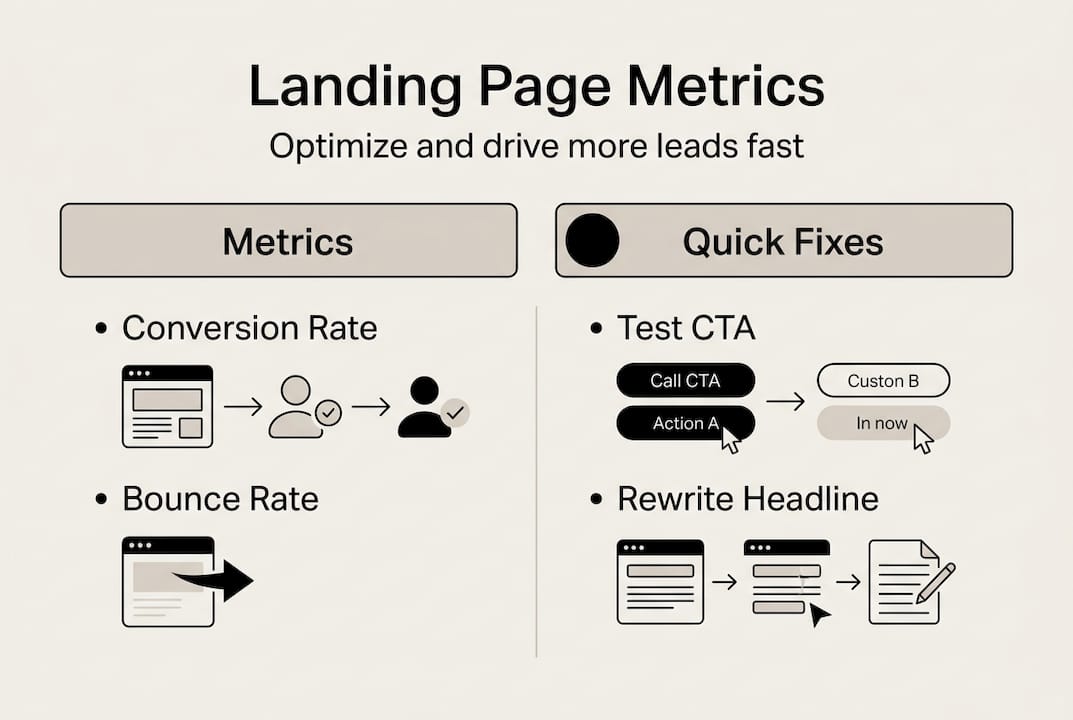
Matching ad messaging and keeping the page focused boosts conversion significantly. Once your page is live, run A/B tests on your headline first, since it has the biggest impact. Then test your CTA button text. Small changes compound into big results over time. To double website lead quality, consistent optimization is the engine that gets you there.
Here’s the uncomfortable truth we’ve seen play out with hundreds of small business websites: the technical steps are the easy part. Most landing pages fail not because of bad design, but because of fuzzy thinking.
Business owners try to say too much. They want to explain every service, list every feature, and appeal to every possible customer. The result is a page that speaks to no one. A landing page built around one specific promise, for one specific audience, will outperform a generic page every single time.
We’ve also seen businesses skip iteration entirely. They launch, get a trickle of leads, and assume the page doesn’t work. But the first version is never the best version. The businesses winning with landing pages treat them like living assets, not finished products.
Simplicity, message clarity, and relentless follow-through are what separate the top performers. If you want to understand why website platforms for lead growth matter so much, it starts with having a focused, optimized page as your foundation. Build that first. Refine it constantly.
You now have the knowledge to build a landing page that actually converts. But knowing what to do and having the time and tools to execute it are two very different things.

At MonsterWP, we build high-performance custom websites and landing pages designed to generate qualified leads from day one. No DIY headaches, no bloated agency fees. Whether you need a simple WordPress website or a fully managed growth system, we handle the design, build, hosting, and optimization for you. Explore our flat fee WordPress website plans and see exactly what you get for a clear, predictable monthly investment. Let’s build your lead-generating machine together.
A landing page is a single, standalone page built specifically to capture leads with a focused call to action, while a homepage typically introduces your business and offers many navigation choices. Landing pages remove distractions so visitors do one thing: convert.
Limit your form to three fields or fewer. Three-field forms average a 25% conversion rate, and limiting fields can double your results compared to longer forms.
Yes, absolutely. No navigation doubles landing page conversion rates by keeping visitors locked in on your single call to action rather than wandering off to other pages.
Start with your headline. The headline is read five times more than your body copy, making it the highest-leverage element to test and optimize first.
Explore the top 3 GoDaddy.com alternatives for reliable hosting solutions. Compare to make an informed decision for your business needs.

Unlock the power of content optimization strategies that drive results. Discover how to enhance rankings, leads, and revenue effectively!