
Top 3 GoDaddy.com Hosting Alternatives 2026
Explore the top 3 GoDaddy.com alternatives for reliable hosting solutions. Compare to make an informed decision for your business needs.


TL;DR:
- Website uptime directly impacts revenue, trust, and search rankings, making it a crucial business metric.
- Achieving high uptime requires proactive monitoring, infrastructure redundancy, and effective response protocols for partial and complete outages.
Your website is down. You don’t know it yet. Neither does your team. But three customers trying to buy from you right now are staring at an error page, and at least one of them is already on a competitor’s site. Understanding what is website uptime, and what happens when you lose it, is not a technical curiosity. It is a business survival issue. This article breaks down what uptime really means, how to measure it, and what the difference between 99% and 99.99% availability actually costs you in real money and real customers.
| Point | Details |
|---|---|
| Uptime is a business metric | Website uptime directly affects revenue, customer trust, and search rankings, not just server performance. |
| 99.9% is not near-perfect | “Three nines” still allows 43 minutes of downtime per month, which is unacceptable for high-traffic sites. |
| Monitoring must go deep | Checking only your homepage misses broken checkout flows, failed APIs, and silent functional failures. |
| Downtime costs compound fast | IT downtime averages $5,600 per minute, making even short outages financially dangerous. |
| Managed infrastructure beats DIY | Redundancy, failover, and proactive monitoring require expertise that most in-house or DIY setups cannot reliably deliver. |
Website uptime is the percentage of time your site is accessible and functioning correctly for visitors. If your site is available 23 hours out of 24, your uptime for that day is 95.8%. Simple enough on the surface. But the calculation and what counts as “available” is where things get complicated.
The standard formula is straightforward: divide total available time by total time in a period, then multiply by 100. What complicates this is defining “available.” Servers can return a 200 OK status code while your checkout page crashes on every third click. Your homepage might load while your contact form silently fails. User-perceived availability includes functional correctness of returned content, not just whether a server responded.
Here is what the industry benchmarks look like in practical terms:
| Uptime Level | Monthly Downtime | Annual Downtime | Suitable For |
|---|---|---|---|
| 99% | ~7.2 hours | ~3.65 days | Basic blogs or informational sites |
| 99.9% | ~43 minutes | ~8.7 hours | Small business sites |
| 99.99% | ~4.4 minutes | ~52 minutes | E-commerce, SaaS applications |
| 99.999% | ~26 seconds | ~5.3 minutes | Mission-critical enterprise systems |
Industry standard uptime tiers clarify exactly how much downtime each level tolerates. The takeaway most people miss: 99.9% sounds impressive until you realize it permits nearly nine hours of downtime annually. For a business processing $500 per hour in online sales, that is over $4,300 in lost revenue before you factor in recovery costs.
Pro Tip: When evaluating a hosting provider’s uptime guarantee, ask whether their SLA covers planned maintenance windows. Many providers exclude scheduled downtime from their calculations, which artificially inflates their reported uptime numbers.
The myth of 100% uptime is worth addressing directly. No credible infrastructure provider promises it, because hardware fails, software has bugs, and networks have outages beyond anyone’s control. Chasing 100% is expensive and unrealistic. The goal is to minimize downtime’s frequency, duration, and impact.
The website downtime meaning extends well beyond a temporary inconvenience. Every minute your site is unreachable, you are losing money, trust, and search visibility simultaneously.

The financial damage is measurable and brutal. Downtime costs average $5,600 per minute, with 41% of large enterprises estimating losses between $1 million and $5 million per hour. Even for smaller businesses, a two-hour outage during peak traffic can wipe out an entire day’s revenue.
Reputational damage is harder to quantify but equally serious. Consider the importance of website uptime from a trust perspective. A customer who encounters an error page during checkout does not usually wait around to try again. They remember. They tell people. Online reviews mentioning “website problems” or “couldn’t complete my order” are permanent. Trust, once damaged, takes far longer to rebuild than a server takes to reboot.
The SEO consequences are another layer most business owners overlook entirely. Search engines prioritize consistently accessible websites when determining rankings. Frequent outages signal instability to crawlers, which can reduce crawl frequency, lower page authority, and ultimately push your site down in search results. If you’re investing in SEO, understand that uptime directly shapes your rankings over time.
The less visible forms of downtime are often the most dangerous:
“Users consider a site ‘down’ if core tasks fail, even if the server is technically up.” — UptimeRobot Downtime Guide
Partial degradations that affect key user tasks cause more long-term damage than full outages because they are harder to detect, slower to diagnose, and users rarely report them. They just leave.
How to measure website uptime sounds like a solved problem. It is not. The gap between what monitoring tells you and what your users actually experience is wide and consequential.
Here is how most teams approach it, ranked from least to most effective:
Effective monitoring requires testing APIs, database-dependent pages, and multiple functional paths, not just the homepage. A cached homepage can return a perfect result while your database is completely offline. Monitoring the front door while the building is on fire gives you false confidence.
Website uptime monitoring tools also need to track more than HTTP responses. Sophisticated monitoring must cover HTTP status, SSL certificates, DNS, TCP ports, and heartbeat checks to fully assess site health. An expired SSL certificate brings your site down as effectively as a server crash. Most basic setups catch neither until after the damage is done.
Monitoring intervals matter more than most teams realize. Configure automated checks at 30 to 60 second intervals for critical services and 3 to 5 minutes for standard pages. A monitoring interval of 5 minutes means an outage can persist for nearly 5 minutes before detection. For a high-traffic e-commerce store, that is a meaningful revenue hit before anyone even knows there is a problem.
Pro Tip: Set alerts to trigger after 2 to 3 consecutive failures rather than a single failure. This eliminates false positives from transient network blips and prevents alert fatigue, which is the state where your team starts ignoring notifications because too many are false alarms.
You can also review uptime as a KPI alongside other performance metrics to get a complete picture of how your site serves visitors. Uptime in isolation tells only part of the story.
The factors affecting website uptime go deeper than your hosting plan. Understanding them helps you ask better questions and make better decisions.
Best practices for website uptime are built on four pillars:
What affects website uptime most is not any single factor but the interaction between hosting quality, software configuration, traffic handling, and maintenance discipline. A poorly configured WordPress site on excellent hardware will still go down under moderate traffic spikes. A well-optimized site on mediocre infrastructure will eventually hit its ceiling.
This is where DIY website management creates serious risk. Configuration errors, missed security patches, and the absence of monitoring mean outages go undetected longer and cost more to resolve. Managed infrastructure is not a luxury. For any business where the website generates leads or revenue, it is the baseline requirement. Understanding why managed websites outperform DIY builds comes down to this: reliability is an operational discipline, not a one-time setup task.
This reference table summarizes what you need to know for informed decision-making:
| Uptime % | Monthly Downtime | Hourly Revenue Risk | Monitoring Interval |
|---|---|---|---|
| 99% | ~7.2 hours | High: multiple full outage hours | Every 3 to 5 minutes minimum |
| 99.9% | ~43 minutes | Moderate: concentrated outage risk | Every 3 minutes |
| 99.99% | ~4.4 minutes | Low: fast detection critical | Every 60 seconds |
| 99.999% | ~26 seconds | Negligible with proper failover | Every 30 seconds |
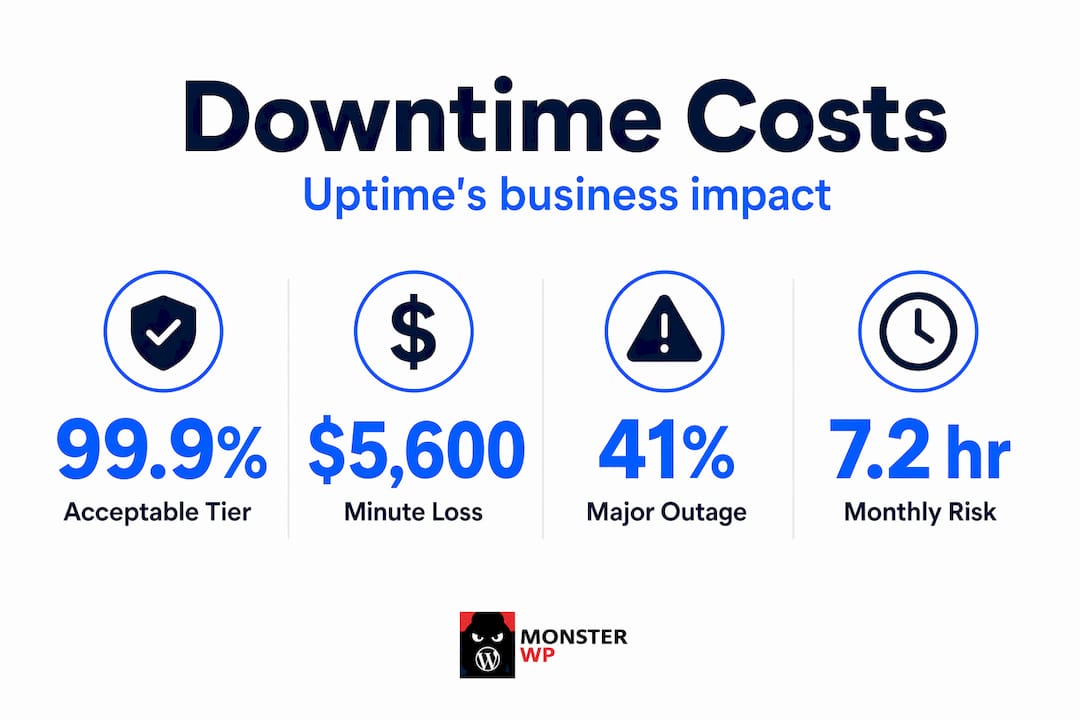
For e-commerce sites processing real transactions, anything below 99.9% is a liability. For SaaS platforms or high-volume service businesses, 99.99% should be the floor. The cost of achieving higher uptime through managed infrastructure is almost always lower than the cost of a single significant outage. Pair your uptime tracking with automated SEO monitoring and you will catch both technical failures and the downstream ranking impacts before they compound.
I’ve watched hundreds of business owners treat uptime as a hosting checkbox rather than a business-critical discipline. They sign up for a $10/month shared hosting plan, check the “99.9% uptime guarantee” box, and move on. Then they wonder why their site went down during their biggest campaign of the year.
The uncomfortable truth is that a hosting guarantee is not the same as an uptime strategy. Guarantees only define what compensation you receive after the failure. They do not prevent it.
What I’ve seen work: businesses that treat their website as infrastructure rather than a digital brochure. They monitor at short intervals, they test critical user paths, and they have someone responsible for response when alerts fire. The businesses that get blindsided are the ones monitoring their homepage with a 5-minute ping check and calling it done.
The other thing most people underestimate is the compounding effect of partial failures. A checkout page that errors 20% of the time will never appear in a standard uptime report. But it is devastating your conversion rate in real time. Full-transaction monitoring is not optional for any site where the CTA is “buy,” “book,” or “contact us.”
Uptime monitoring is not an IT project. It is revenue protection. And like most things in business, the cost of doing it right is far less than the cost of finding out you didn’t.
— Vector

At MonsterWP, we built our managed WordPress platform specifically for the business owner who cannot afford to find out their site is down from a customer complaint. Every site we manage includes proactive uptime monitoring, high-performance hosting infrastructure, and a team that responds to issues before they escalate into outages.
Our fully managed WordPress websites are built on redundant infrastructure, optimized for speed and security from day one, and monitored continuously. No DIY configuration. No hoping your hosting provider’s guarantee covers you. Just a site that works, with clear pricing starting at $299 per month and no bloated retainers.
If your current setup is one server hiccup away from a revenue-killing outage, it’s time to change the system. See what a website that actually protects your business looks like.
Website uptime is the percentage of time your site is accessible and functioning correctly for visitors. It is typically expressed as a percentage over a given period, such as 99.9% monthly.
For most business websites, 99.9% uptime is the minimum acceptable standard. E-commerce and high-traffic sites should target 99.99% or higher.
Frequent outages lower search rankings because search engines deprioritize sites that are not consistently accessible to crawlers and users.
Website uptime vs downtime is simply the inverse relationship between availability and unavailability. Uptime is the time your site works. Downtime is every minute it does not, including partial failures where critical features stop functioning.
Mission-critical sites should be checked every 30 to 60 seconds, while standard business sites should use 3 to 5 minute intervals to catch outages before customers do.
Explore the top 3 GoDaddy.com alternatives for reliable hosting solutions. Compare to make an informed decision for your business needs.

Unlock the power of content optimization strategies that drive results. Discover how to enhance rankings, leads, and revenue effectively!