
How websites drive local business lead generation
Learn how local business websites generate qualified leads with SEO, fast load times, clear CTAs, and conversion-focused design strategies that actually work.


Staring at a tangled DIY website, many Midwest business owners realize it takes far more skill than expected to look professional and generate leads. These sites often suffer from messy text alignment, cluttered content, broken navigation, and weak security. Opportunity cost at its worst happens when hours vanish fixing problems instead of closing deals. This article reveals why tackling everything yourself risks lost revenue and explains how professional solutions deliver reliable lead generation and peace of mind.
| Point | Details |
|---|---|
| DIY website management often leads to wasted time and revenue. | Business owners overestimate their skills and end up spending significant hours on troubleshooting instead of growing their business. |
| Professional solutions provide better security and SEO. | Delegating website management to experts ensures your site is secure, optimized for search engines, and functional. |
| A professional website enhances lead generation. | A well-designed and optimized site attracts and converts more visitors, directly impacting revenue growth. |
| Time investment in DIY can cost more than professional services. | The opportunity cost of lost revenue and the hours spent on DIY efforts typically outweigh the savings from managing the site yourself. |
DIY websites often fail because business owners underestimate the skills required to build them properly. Most entrepreneurs think they can save money by going the DIY route—until they realize they’re now managing a site that looks unprofessional, ranks nowhere in Google, and generates zero leads.
Here’s what actually happens when you try to build your own site:
Business owners typically encounter issues like messy text alignment and cluttered content, missing page titles, and poor user experience design. Your site might look okay to you, but visitors bounce immediately when navigation is confusing or content is hard to read.
Security becomes another nightmare. You’re installing random plugins, many outdated, creating vulnerabilities that hackers exploit. One breach and your customer data—and your reputation—disappear.
Performance suffers too. Pages load slowly because you don’t know how to optimize images or enable caching. Google penalizes slow sites with lower rankings, and impatient visitors leave after three seconds.
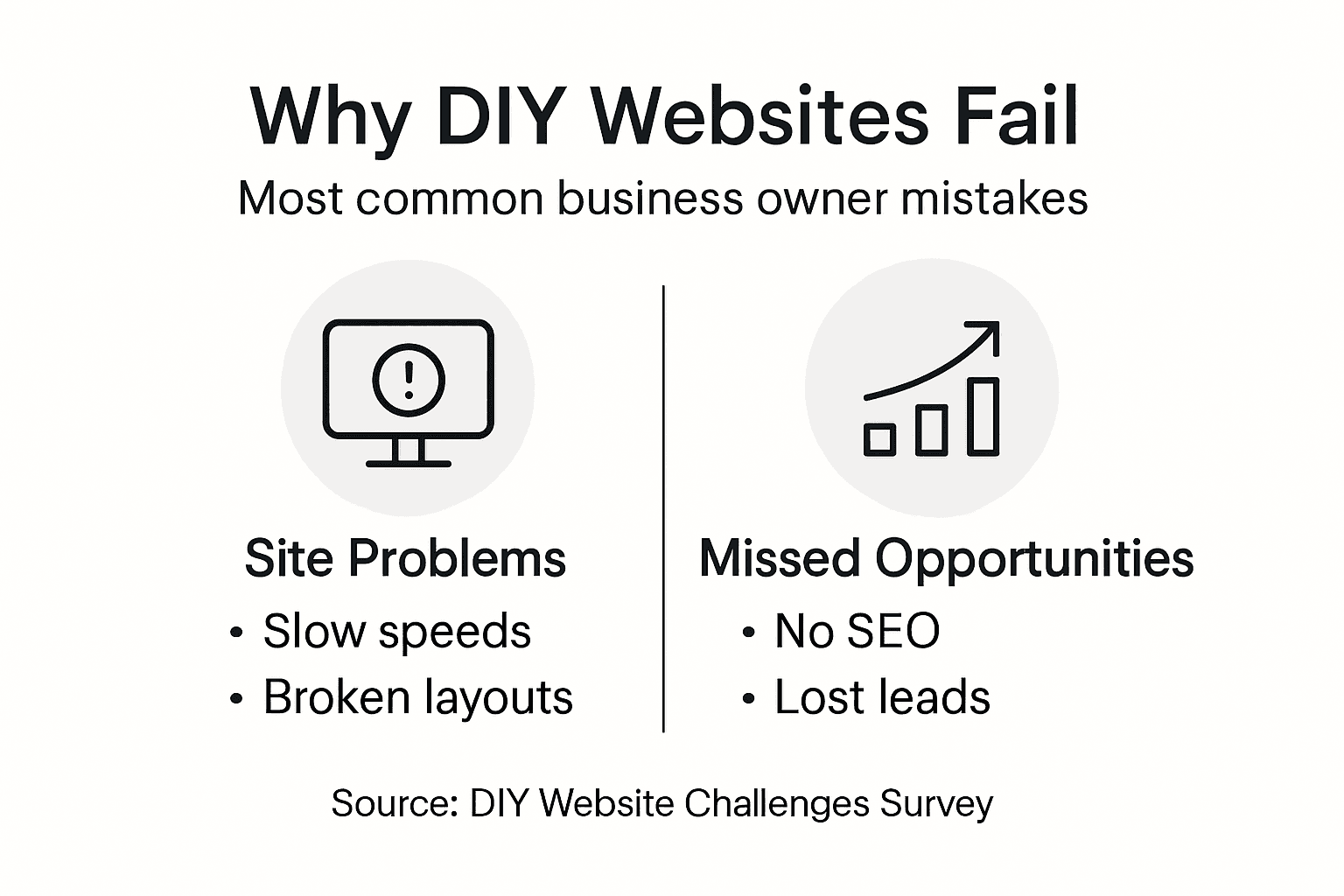
SEO gets ignored almost entirely. You publish content with no strategy, missing keyword opportunities that your competitors are already ranking for. Meanwhile, potential customers never find you.
Build a website today and you’re immediately responsible for:
Each task requires different skills. Most business owners excel at running their business, not managing technical infrastructure.
You’re trading your hourly rate (say, $150/hour) to save $200/month on hosting. That’s not savings—that’s opportunity cost at its worst.
You start thinking it’ll take 20 hours. Reality: it takes 150 hours across weeks of troubleshooting, watching tutorials, fixing broken layouts, and restarting from scratch when something breaks.

That’s time you’re not generating revenue, closing deals, or serving existing customers. Your business suffers the moment you stop focusing on what you do best.
A professional website needs:
Even if you learn everything, you’re now the permanent unpaid IT department for your business. When something breaks, you drop everything to fix it.
Pro tip: Invest in a fully managed WordPress solution that handles design, hosting, security, and SEO from day one—it frees you to focus on what actually grows your business instead of fighting with website problems.
Here’s a comparison of DIY website management versus professional solutions and their impact on business outcomes:
| Aspect | DIY Website | Professional Solution | Impact on Business |
|---|---|---|---|
| Time Investment | Over 150 hours/year | Less than 10 hours/year | High opportunity cost with DIY |
| Security | Easily compromised | Actively monitored and updated | DIY risks customer trust loss |
| Lead Generation | Irregular, low conversions | Consistent, optimized forms | Professional sites grow revenue |
| Stress Level | Persistent and distracting | Minimal, handled by experts | Mental focus improves with pros |
Every day, business owners make the same costly errors on their DIY websites. These aren’t small annoyances—they directly slash your lead generation and revenue potential. Understanding these mistakes helps you recognize them before they drain your bottom line.
When visitors land on your site, they decide in seconds whether to stay or leave. Poor navigation, cluttered layouts, and confusing buttons send them straight to your competitor’s site.
Missing or vague call-to-action buttons are a common killer. Visitors don’t know what you want them to do next. Should they call? Fill out a form? Buy something? The ambiguity costs you leads.
Mobile optimization gets skipped entirely on most DIY sites. Over 60% of your traffic comes from phones, but your site looks squeezed and broken on small screens. Google notices this too and ranks you lower.
Pages that load in 5+ seconds lose half their visitors before content even appears. Every second delay drops conversion rates by 7%.
DIY site builders often bloat pages with unoptimized images, unnecessary plugins, and poor hosting. You don’t know which plugins are slowing things down, so nothing gets fixed.
Google’s algorithm penalizes slow sites with lower rankings. Your competitors with fast sites outrank you automatically—even if their content is worse.
You publish blog posts and web pages with zero strategy. No keyword research. No structure. No internal links. Visitors from Google? Almost zero.
Meanwhile, your competitors are ranking for high-intent keywords that send qualified leads. They’re capturing customers actively searching for your services.
Without proper site structure and technical SEO, your content stays invisible. You’re shouting into the void.
Outdated plugins and weak passwords create open doors for hackers. One breach costs you customer data, your reputation, and legal liability.
Visitors won’t enter their information on a site that looks unprofessional or suspicious. No trust means no conversions.
Every week your site underperforms costs you real revenue. That $100 “savings” on hosting is costing you thousands in lost leads.
These mistakes compound. Slow speeds hurt SEO. Poor design kills conversions. Missing SEO means fewer visitors. Less traffic means fewer leads, fewer sales, and lower revenue.
You end up with a site that costs you more money through lost opportunities than any agency would charge to build it properly.
Pro tip: Track exactly how many leads your website generates this month, then compare it to how many qualified prospects you need for your revenue goals—the gap reveals what poor website decisions are actually costing you.
Three critical failures plague DIY websites: security vulnerabilities, SEO blindness, and performance problems. These aren’t separate issues—they’re interconnected. When one fails, the others crumble with it, costing you visibility, trust, and revenue.
Most DIY site owners don’t install HTTPS, leaving customer data unencrypted. A visitor enters their phone number or email, and it travels across the internet as plain text anyone can intercept.
HTTPS encryption protects data transmissions and signals to browsers that your site is trustworthy. Without it, visitors see “Not Secure” warnings and leave immediately.
Outdated plugins create open doors for hackers. You update WordPress once, then forget about plugins for months. Security patches get missed. One vulnerability and your database gets breached.
Weak security headers leave you exposed to common attacks. Most DIY builders don’t even know these exist, let alone how to implement them.
Google doesn’t rank unsecure sites as highly as secure ones. Website security directly affects SEO performance because search engines favor sites that protect user privacy.
A compromised site drops dramatically in rankings. Google detects malware and flags your domain, pushing you off the first page entirely. Recovery takes weeks or months.
DIY builders use cheap hosting that can’t handle traffic spikes. Your site crawls when visitors arrive, and Google penalizes slow sites by lowering your rankings.
Unoptimized images bloat page size. Unnecessary plugins drain resources. Missing caching means every visitor waits for the server to rebuild the page from scratch.
A slow site doesn’t just lose visitors—it loses search engine favor too.
Without technical SEO foundations, your content never gets indexed properly. Missing sitemaps, poor internal linking, and broken redirects confuse search engine crawlers.
You publish content hoping Google notices. It doesn’t. Meanwhile, competitors with proper SEO infrastructure rank for the keywords you’re targeting.
These three problems feed each other:
A DIY site with security gaps, performance issues, and no SEO strategy doesn’t just underperform—it actively damages your business reputation.
You need:
Each requires knowledge you probably don’t have. Managing them all yourself creates constant headaches.
Pro tip: If your DIY site isn’t regularly updated for security, hasn’t been audited for speed, and has no documented SEO strategy, assume it’s costing you revenue every single day.
The following table highlights critical website elements and their effect on SEO, security, and performance:
| Element | SEO Effect | Security Effect | Performance Effect |
|---|---|---|---|
| SSL/HTTPS | Boosts search ranking | Protects user data | Ensures site stability |
| Structured Content | Improves indexing | Reduces errors | Enhances speed |
| Updated Plugins | Enables better crawling | Closes vulnerabilities | Prevents site slowdowns |
| Fast Hosting | Increases ranking potential | Limits attack vector | Reduces page load times |
Building and maintaining a DIY website isn’t a one-time project—it’s a never-ending job that steals your time, energy, and focus. Every hour spent wrestling with your site is an hour not spent growing your business.
You start thinking it’ll take 20 hours. Reality hits different. Setting up hosting, installing WordPress, choosing a theme, customizing pages, testing on mobile, fixing broken links—suddenly you’ve lost 150+ hours.
Then the maintenance begins. Updates break things. Plugins conflict with each other. A page stops loading and you spend three hours troubleshooting. Backups need monitoring. Security patches demand attention.
You’re now the unpaid IT support for your business.
Every night you worry about whether your site is secure. Is it being hacked right now? Have backups been running? You don’t know—and that uncertainty creates constant low-level stress.
When something breaks, panic sets in. You scramble to fix it, often making things worse. You Google solutions at midnight because your site is down and you’re losing customers.
There’s no one to call. No support team. Just you, a problem, and Google.
Visitors land on your site and immediately notice problems. Navigation is confusing. The design looks dated. There’s no clear call-to-action telling them what to do next.
Poorly designed DIY websites fail to guide visitors effectively, causing you to lose potential customers who don’t understand your offering or how to contact you. They bounce to competitors who have professional sites.
You never even know who these lost leads were. No tracking. No way to re-engage them. They’re gone forever.
Without proper forms, your visitors can’t easily reach out. Your contact page is buried three clicks deep. Phone numbers are hard to find. Email addresses are text instead of clickable links.
Interested prospects give up trying to contact you and call a competitor instead.
You carry DIY website stress into client meetings and sales calls. Part of your brain is always thinking about what needs fixing next.
That divided attention shows. You close fewer deals. You miss sales opportunities. Your prospects sense your distraction.
Consider the real numbers:
You’re “saving” $200 monthly on hosting while bleeding $18,000 in opportunity cost.
Every week your site doesn’t generate leads or isn’t being improved, you’re losing money and losing time you’ll never get back.
Time spent on DIY websites means time not spent on:
Your site should be a 24/7 lead-generation machine. Instead, it’s an ineffective liability sitting there generating nothing.
Every day without a properly optimized, professionally designed site costs you leads. Those leads would have turned into customers, customers would have generated revenue, and revenue would have grown your business.
Pro tip: Calculate how many qualified leads you need monthly to hit your revenue targets, then audit your DIY site’s conversion rate—the gap reveals exactly how much money poor website management is costing you.
The antidote to DIY website chaos isn’t doing more yourself—it’s delegating to professionals who know exactly what they’re doing. Professional solutions handle what you can’t, freeing you to focus on growing revenue instead of fighting with code.
Professional business solutions enhance efficiency and streamline operations by providing integrated strategies that eliminate common pitfalls. You get expert design, proven SEO systems, continuous security monitoring, and performance optimization—all working together toward one goal: generating qualified leads.
Instead of managing plugins and updates yourself, a managed WordPress solution handles everything. Security patches? Automatic. Backups? Scheduled and monitored. Performance optimization? Built in from day one.
You stop being the website expert and become the business owner again. That mental burden lifts immediately. You sleep at night knowing your site is secure, fast, and optimized.
Moreover, professionals handle the technical work while you focus on what you actually excel at: running your business and closing deals.
Professional solutions don’t just build sites—they build lead-generation machines. That means:
You get a website that works 24/7 to fill your pipeline.
DIY sites take months to launch. Professional solutions launch in weeks, sometimes days. You’re generating leads while your competitor is still trying to customize their theme.
Rapid revisions mean changes happen fast. Want to adjust messaging? Update contact info? Add new services? It’s handled without you wrestling with code.
Modern professional solutions go beyond websites. They combine:
Each channel reinforces the others, creating a coordinated growth system instead of scattered efforts.
Consider the real ROI: A professional solution costs $300-$3,000 monthly depending on features. Compare that to your DIY costs:
A professional website generates revenue. A DIY site generates stress. The choice becomes obvious when you do the math.
Your time is your most valuable asset. Professional solutions buy it back. Every hour you’d spend troubleshooting is an hour you spend with clients, closing deals, or planning growth.
Your business scales faster when your website isn’t consuming your energy.
Unlike DIY sites, professional solutions don’t require constant monitoring. Updates don’t break things. Security stays tight. Performance stays optimized. You simply get regular reports showing results.
Pro tip: Before choosing any website solution, ask whether it includes 24/7 support, automatic security updates, performance monitoring, and SEO optimization—if they’re missing, you’re building another DIY headache.
The challenges of managing a DIY website are clear from the article. From constant technical issues, security risks, SEO neglect to lost leads and mounting stress, you are trading valuable time and peace of mind for a website that underperforms. The real cost is in missed revenue and wasted opportunity.
At MonsterWP, we understand these pain points. Our fully managed WordPress growth platform eliminates the heavy lifting of hosting, design, security, and SEO so you can focus on scaling your business. We build custom sites optimized for speed and conversion with a clear digital growth system that generates qualified leads without the headaches.
Ready to stop battling your website and start growing your business? Discover how our expert solutions remove the stress and protect your revenue by visiting Website & Design Archives – MonsterWP.

Take control today by exploring our affordable plans at Pricing & Billing Archives – MonsterWP or get started instantly at MonsterWP. Don’t let another hour of DIY website frustration cost your business. Partner with MonsterWP and build a digital engine designed for growth.
Building a DIY website can lead to hidden costs, including lost revenue from missed leads, time spent troubleshooting, and the potential for security breaches. Professional solutions handle these issues, allowing business owners to focus on what they do best.
Common mistakes include poor navigation, lack of mobile optimization, slow loading speeds, missing calls-to-action, and inadequate SEO strategies. These issues can lead to high bounce rates and lower conversions.
Website security directly affects SEO because search engines prioritize secure sites (those with HTTPS). A compromised website can drop dramatically in rankings, hurting visibility and organic traffic.
A professional website should feature a clean design, clear calls-to-action, mobile optimization, fast loading speeds, SEO best practices, and accurate analytics tracking. These elements work together to attract and convert visitors into leads.
Learn how local business websites generate qualified leads with SEO, fast load times, clear CTAs, and conversion-focused design strategies that actually work.

Discover why SMBs are investing in digital marketing in 2026, what results to expect, and how to get started without a big budget or in-house team.