
2026 Digital Marketing Trends Guide for Growth
Unlock the future with our 2026 digital marketing trends guide. Discover AI personalization, GEO, and more strategies for lasting growth!

TL;DR:
- Technical SEO optimizes website infrastructure to improve search rankings and user experience.
- Speed, crawlability, and site stability are critical ranking factors for small businesses.
- Regular audits with tools like Google Search Console and PageSpeed Insights help maintain technical health.
A slow, broken website is quietly killing your search rankings. Most business owners focus on content and ads while ignoring the technical foundation underneath, and that’s exactly where visibility is won or lost. Optimizing Core Web Vitals has tripled average search positions for some sites, moving them from page 5 to page 1 with no new content required. Technical SEO is not a mystery reserved for developers. It’s a clear, actionable discipline that any business owner or marketing manager can understand and act on. This guide breaks down what technical SEO is, why it moves the needle, and exactly what to fix first.
| Point | Details |
|---|---|
| Technical SEO basics | It’s about optimizing site structure, speed, and accessibility for search engines. |
| Impact on rankings | Improving technical SEO can dramatically boost your search position and visibility. |
| Prioritize Core Web Vitals | Fast, stable, mobile-friendly sites outperform slow or poorly-structured ones. |
| Audit and improve | Routine technical audits with the right tools drive ongoing gains for SMBs. |
| Technical SEO isn’t everything | Pair technical fixes with quality content and marketing for real business growth. |
Technical SEO is the practice of optimizing your website’s backend so search engines can find, read, and rank it properly. It has nothing to do with the words on your pages or who links to you. It’s about the infrastructure underneath everything else.
Think of it like this: you can write the most compelling content in your industry, but if Google’s bots can’t access your pages, none of that effort matters. Technical SEO removes those invisible barriers.
The core technical SEO elements include crawlability, indexability, site architecture, Core Web Vitals, structured data, JavaScript rendering, mobile optimization, HTTPS, and canonicalization. Each one plays a specific role in how search engines experience your site.
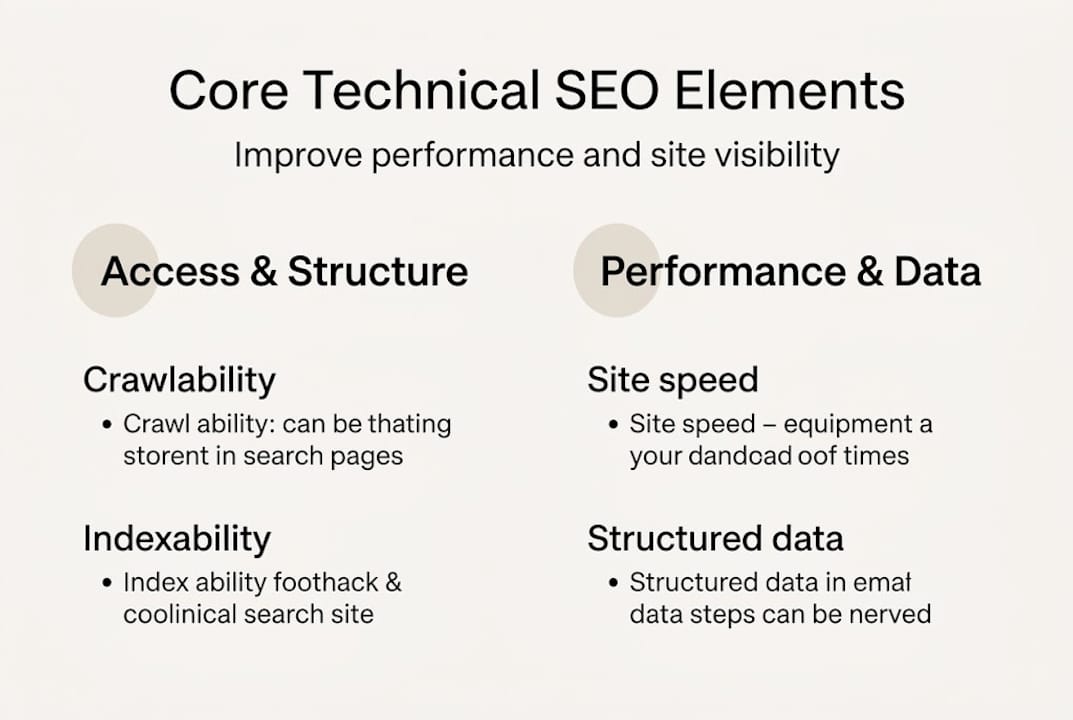
Here’s a quick breakdown of how technical SEO differs from the other two major SEO categories:
| SEO type | Focus area | Examples |
|---|---|---|
| Technical SEO | Site infrastructure and backend | Speed, crawlability, mobile, HTTPS |
| On-page SEO | Content and page-level optimization | Keywords, headings, meta tags |
| Off-page SEO | External authority signals | Backlinks, brand mentions, reviews |
All three types work together, but technical SEO is the foundation. Without it, on-page and off-page efforts hit a ceiling. You can read more about how these factors interact in our guide to SEO ranking factors for SMBs.
Key technical SEO components every SMB should know:
If you’re building or redesigning a site, pairing technical SEO with custom website design and SEO from the start saves enormous time and cost later.
Data tells the real story here. One documented case study shows what’s possible when technical SEO is treated as a priority rather than an afterthought.
After a focused technical optimization effort, one site’s results shifted dramatically across every key metric:
| Metric | Before | After |
|---|---|---|
| Average search position | 42 | 14.5 |
| PageSpeed score | 58 | 90+ |
| Cumulative Layout Shift (CLS) | 0.25 | 0.00 |
| Largest Contentful Paint (LCP) | 4.8 seconds | 1.2 seconds |
Those aren’t minor tweaks. Moving from position 42 to 14.5 means going from invisible to competitive, often doubling or tripling organic traffic in the process. And none of it required new content or link building campaigns.
The numbers are clear: speed and stability are ranking signals, not just user experience niceties.
Here’s why these metrics matter so much for SMBs specifically:
Our website optimization guide covers these improvements in detail. The pattern we see consistently with high-performance websites is that technical fixes compound over time. One improvement leads to better crawl efficiency, which leads to faster indexing, which leads to better rankings. It’s a chain reaction.
If you want a full picture of how these pieces connect, our guide on optimizing SEO and leads walks through the full cycle from technical health to lead generation.
Let’s get specific. These are the technical SEO elements that most directly affect whether your site ranks or disappears.
Crawlability is about access. Search engine bots, called crawlers, visit your site to discover and read your pages. If your robots.txt file blocks key pages, or your internal linking is broken, crawlers miss content entirely. A clean XML sitemap submitted to Google Search Console (GSC) tells crawlers exactly where to go.

Indexability is about visibility. Even if a crawler finds your page, it won’t rank if it’s marked “noindex” or has conflicting canonical tags. Canonical URLs (the preferred version of a page) prevent duplicate content from splitting your ranking signals. Every page you want to rank must be indexable and canonical.
Site performance is where most SMBs have the biggest opportunity. Making sites accessible to bots, controlling visibility, optimizing site architecture, and prioritizing user experience are the four pillars of technical SEO that actually move rankings.
Core Web Vitals break down into three measurable signals:
“Technical issues must align with user experience over rigid checklists.” — John Mueller, Google
That quote from Google’s own team is worth sitting with. Technical SEO isn’t about checking boxes. It’s about building a site that works for real people, and the rankings follow.
Pro Tip: Start your technical audit in Google Search Console. Check the Coverage report for indexing errors, then run PageSpeed Insights on your top five pages. Fix mobile issues before anything else since Google ranks your mobile version first.
For a structured approach to these fixes, our SMB SEO best practices guide and our breakdown of content and SEO strategies give you a clear execution path.
Knowing what to fix is only useful if you know how to find the problems. A technical SEO audit is the diagnostic process that surfaces issues before they cost you rankings.
Here’s a practical step-by-step approach built for small business teams:
Pro Tip: Set a monthly reminder to re-run your GSC and PageSpeed audits. Technical SEO isn’t a one-time project. Sites drift over time as new content is added, plugins update, and traffic patterns shift. Monthly tracking catches regressions before they become ranking drops.
If you serve a specific geographic area, pairing these audits with a local SEO for small business strategy amplifies your results significantly. Local signals and technical health together create a compounding advantage that’s hard for competitors to replicate quickly.
Here’s the perspective most technical SEO guides skip: fixing your site’s infrastructure is necessary, but it is not sufficient. We’ve worked with businesses that had near-perfect technical scores and still struggled to generate leads. The reason is almost always the same. They treated technical SEO as the destination instead of the starting line.
The sites that win long-term are the ones that layer technical excellence with genuinely useful content and consistent marketing. Technical improvements support user experience but must be paired with quality content and strategic marketing for true business growth. Google can crawl your site perfectly and still rank a competitor above you because their content answers questions better.
Our honest lesson from real client work: fix the technical foundation first, then invest aggressively in content and distribution. In that order. Skipping the technical layer wastes your content budget. Stopping at technical fixes wastes your ranking potential. You need both working together, and that’s exactly what drives results in our guide on SEO and business growth.
Ready to fix technical SEO and grow your site’s visibility? Here’s how MonsterWP can help.
At MonsterWP, we build and manage high-performance WordPress websites that are optimized for speed, security, and search from day one. No bloated retainers. No confusing audits handed to you with no support.

Every site we launch through our custom WordPress website service is built with Core Web Vitals, crawlability, and mobile performance baked in from the start. If you want ongoing SEO management, our managed SEO and PPC service handles audits, fixes, content, and paid growth in one package. And for businesses ready to scale further, our digital marketing add-ons cover social media, paid ads, and answer engine optimization across every major platform. Let’s build something that actually ranks.
If your site loads slowly, has pages that aren’t appearing in Google, or scores poorly on Core Web Vitals, you almost certainly need technical SEO updates. Start with a free Google Search Console check to see indexing errors and performance issues right away.
Technical SEO is essential but not a complete strategy on its own. Technical issues and user experience must work together, and quality content paired with strategic marketing is what drives sustained ranking growth.
Google Search Console, PageSpeed Insights, and Semrush or Ahrefs are the top three tools for SMB technical audits. They cover indexing, speed, and site-wide issues without requiring a developer on staff.
Structured data aids machine readability for specific rich features like FAQs and reviews, but it does not directly boost rankings. Implement it accurately on your key pages and focus on the content quality that actually earns the click.
Unlock the future with our 2026 digital marketing trends guide. Discover AI personalization, GEO, and more strategies for lasting growth!

Discover what is predictable pricing in web services and learn how fixed costs can empower your SMB’s budget. Gain financial control today!