
What Is a Website Revenue Asset? A Guide for Business Owners
Discover what is a website revenue asset and how it can transform your business. Learn to turn your site into a valuable income-generating tool!


TL;DR:
- Website performance directly impacts small business revenue, trust, and customer retention.
- True high performance requires optimized hosting, assets, code structure, and ongoing monitoring.
- Fast, optimized websites boost conversions, improve SEO, and make marketing efforts more effective.
Most small business owners think website performance is a technical problem for developers to worry about. It isn’t. It’s a revenue problem. Many businesses overlook how directly web performance connects to growth, trust, and marketing results. A slow site doesn’t just frustrate visitors. It hands your customers to competitors who invested in speed. In this guide, we break down exactly why high-performance websites matter for small and mid-sized businesses, what separates a fast site from a truly optimized one, and how you can use performance as a competitive edge rather than an afterthought.
| Point | Details |
|---|---|
| Performance fuels growth | A fast, reliable website boosts trust, conversions, and customer engagement for small businesses. |
| Optimize beyond quick fixes | Long-term gains come from smart architecture and ongoing monitoring, not just plugin swaps. |
| SEO and marketing impact | High-performance sites rank better in search engines and bring higher marketing returns. |
| Monitor real users | Always check real-user analytics, not just lab tools, to spot hidden issues early. |
Performance is not a feature. It’s the foundation everything else is built on. When your site loads slowly, users don’t wait. They leave. And when they leave, they don’t come back.
Here’s what’s really happening beneath the surface. User trust forms within seconds of a page loading. A sluggish experience signals to visitors that your business is unreliable, even if your product or service is excellent. That’s a brutal and unfair reality, but it’s the reality. As we explain in our breakdown of website design impacts leads, design and performance work together to either win or lose a customer in the first few seconds.
“Speed is not just a technical metric. It’s a trust signal that directly shapes how potential customers perceive your brand.”
The numbers back this up. Mobile sites pass Core Web Vitals at a rate of around 40%, compared to 47% on desktop. That gap matters because the majority of your visitors are on mobile. If your site fails Core Web Vitals on mobile, you’re failing most of your audience.
Here’s what slow performance costs you:
Businesses that invest in custom website design and performance optimization consistently outperform competitors who treat their website as a one-time setup task.
Pro Tip: Use real-user monitoring (RUM) tools, not just lab-based tools like Lighthouse, to understand how actual visitors experience your site. Lab tools give you a controlled snapshot. RUM gives you the truth. Learn more about monitoring web performance to get started.
Not every fast-looking website is actually high-performance. True performance goes deeper than a good PageSpeed score on a good day.
A high-performance website delivers content quickly, passes Core Web Vitals consistently, and provides a seamless experience across all devices. One key metric to understand is TTFB, which stands for Time to First Byte. It measures how quickly your server responds to a request. TTFB should be under 200 to 500ms for optimal performance. If your server takes longer than that, visitors are already waiting before a single pixel renders.
Here’s a comparison of common site platforms and their typical performance profiles:
| Platform | Default Speed | Customization | Performance Ceiling |
|---|---|---|---|
| WordPress (optimized) | Fast | High | Excellent |
| WordPress (default) | Slow | High | Poor without tuning |
| Wix | Moderate | Low | Limited |
| Squarespace | Moderate | Low | Limited |
| Custom HTML/CSS | Very fast | Very high | Excellent |
WordPress can be a lead-generating machine or a bloated mess. The difference is in how it’s built and maintained. Excess plugins and unoptimized themes are the most common culprits dragging WordPress sites into the slow lane. Our website optimization guide covers the specific steps to fix this.
To achieve baseline high performance on any platform, follow these steps:
If you want to optimize your website for leads, performance is the first variable to control. Everything else builds on top of it.
Here’s where most business owners get tripped up. They believe myths that keep them stuck with slow sites and shrinking results.
Myth 1: Speed only matters for large brands or e-commerce. Wrong. Every business with a website competes for attention online. A local service company with a fast site will outrank and out-convert a larger competitor with a slow one.
Myth 2: Website builders are always faster than WordPress. Not true. Platforms like Wix and Squarespace often inject heavy code that limits performance. A well-built WordPress site consistently outperforms them.
Myth 3: A good Lighthouse score means your site is fast. Lighthouse is a diagnostic tool, not a complete picture. WordPress sites often struggle with plugin bloat that shows up in real-user data but gets masked in controlled lab tests.
Myth 4: You only need to optimize once. Performance degrades over time as you add content, plugins, and third-party scripts. Ongoing audits are essential.
Here’s a quick reality check for common misconceptions:
If you’re tired of bloated agency setups that deliver slow sites and vague promises, our post on ditching traditional web agencies explains a better path. And if you’re evaluating hosting, our breakdown of high-performance web hosting benefits is worth reading before you make a decision.
Pro Tip: Audit your plugin list quarterly. Remove anything you haven’t actively used in 90 days. Fewer plugins mean fewer security vulnerabilities and a faster site.
Check global web performance stats to see how your site stacks up against industry benchmarks.
This is where performance stops being a technical conversation and starts being a business conversation.
Faster websites earn more page views, generate lower bounce rates, and convert visitors at higher rates. That’s not opinion. It’s measurable. Continuous monitoring with RUM is what separates businesses that know their performance is working from those who are guessing.

Here’s a side-by-side look at what performance improvements typically deliver:
| Metric | Before optimization | After optimization |
|---|---|---|
| Avg. page load time | 5.2 seconds | 1.8 seconds |
| Bounce rate | 68% | 41% |
| Conversion rate | 1.4% | 2.6% |
| Mobile traffic retention | 52% | 79% |
| Organic search ranking | Page 3 | Page 1 |
Statistic: U.S. small businesses report up to a 30% lift in conversion rates after implementing targeted performance improvements on their websites.
Performance also amplifies every marketing dollar you spend. When you run Google Ads or Meta campaigns, your landing pages need to load instantly on mobile. A one-second delay can cut conversions by double digits. You’re paying for that traffic. Don’t waste it on a slow page.
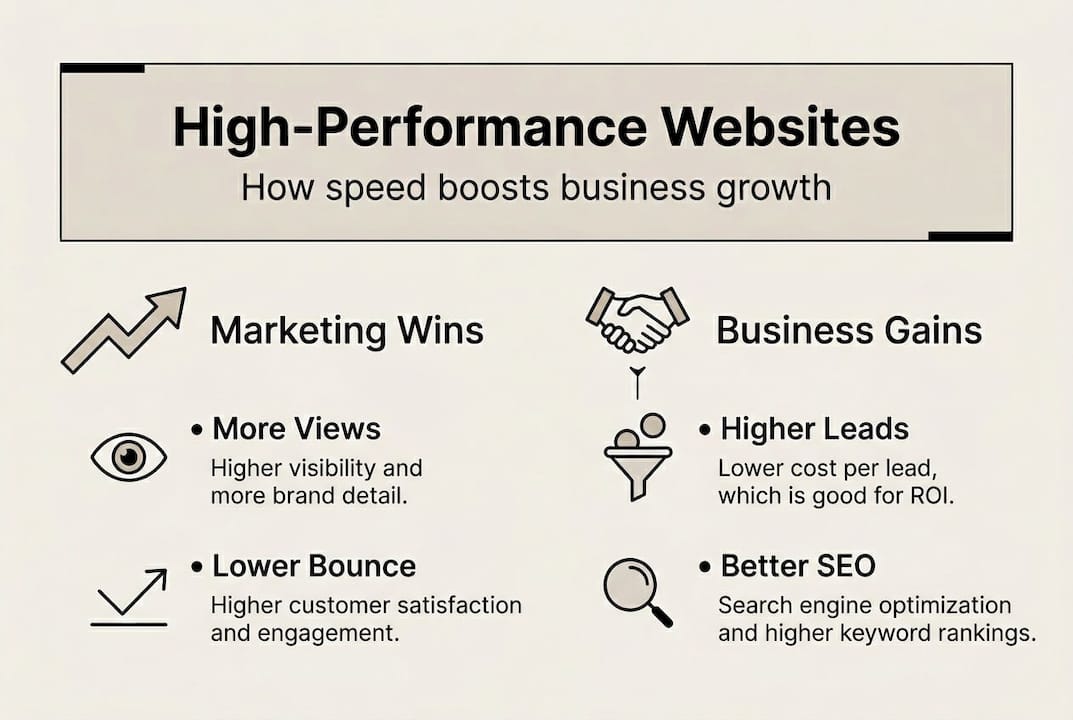
SEO is another direct beneficiary. Google’s website speed benchmarks are baked into its ranking algorithm through Core Web Vitals. Businesses that pass these metrics consistently earn better visibility in search results. Our guide on SEO ranking factors for SMBs explains how performance fits into the broader SEO picture.
The bottom line is simple. Performance is a multiplier. It makes your SEO stronger, your ads more efficient, and your brand more credible. If you’re serious about how to grow your business in 2026, your website’s performance is not optional.
Most advice about website performance focuses on quick wins. Compress this image. Install that plugin. Run this audit. We get it. Quick wins feel good. But they don’t solve the real problem.
The businesses we see struggling most with performance are not the ones ignoring optimization tools. They’re the ones who built on the wrong foundation and are now patching cracks instead of fixing the structure. Architectural choices have a bigger impact than any collection of minor optimizations ever will.
“You can’t tweak your way out of a bad architecture. The framework, hosting environment, and codebase quality determine your performance ceiling before you ever touch a plugin.”
This is why we build every MonsterWP site from the ground up with performance as a non-negotiable. Not as an add-on. Not as a future upgrade. From day one, the hosting, the code structure, and the asset pipeline are all optimized together. Understanding the right WordPress website types for your business is part of making that architectural decision correctly.
Iterative improvement matters too. Performance is not a destination. It’s a discipline. The businesses that win online treat their website like a living system, not a finished product.
You now understand what separates a high-performance website from one that quietly kills your growth. The next step is doing something about it.

At MonsterWP, we build custom WordPress websites that are engineered for speed, SEO, and lead generation from the very first line of code. Starting at $299 per month, you get a fully managed, high-performance site with unlimited updates, no bloated retainers, and no guesswork. We also offer complete digital marketing services to turn your optimized site into a full growth engine. If your website isn’t working as hard as you are, it’s time to change that. Let’s build something that actually performs.
Faster websites directly increase engagement, reduce bounce rates, and drive more customer inquiries, giving your business a measurable competitive edge over slower competitors.
Aim for a TTFB under 200 to 500ms to ensure your server responds quickly and visitors don’t abandon your page before it loads.
WordPress underperforms when loaded with too many plugins or poor-quality themes, but a properly built and managed WordPress site can be extremely fast and competitive.
Continuous RUM monitoring is the standard because performance can degrade gradually with new content or plugin updates, and catching issues early prevents them from hurting your traffic and conversions.
Discover what is a website revenue asset and how it can transform your business. Learn to turn your site into a valuable income-generating tool!

Discover what is measurable digital marketing and learn how data-driven insights can boost your strategy and budget decisions in 2026.