
2026 Digital Marketing Trends Guide for Growth
Unlock the future with our 2026 digital marketing trends guide. Discover AI personalization, GEO, and more strategies for lasting growth!


AI-driven personalization and evolving SEO are revolutionizing how business websites attract and convert visitors in 2026. Optimizing your site’s performance, accessibility, and AI integration can increase conversion rates by up to 30%, directly impacting revenue and user retention. This guide empowers you to independently optimize your business website effectively without relying on expensive agencies, using proven strategies that deliver measurable results within 90 days.
| Point | Details |
|---|---|
| AI and Core Web Vitals drive growth | Combining AI personalization, Core Web Vitals optimization, and accessibility improvements boosts conversions and search rankings. |
| Prerequisites matter | Setting clear goals and choosing the right tools are essential prerequisites for successful optimization. |
| Sequential optimization works | Follow a structured approach: plan site structure, optimize technical performance, enhance user experience, and integrate AI capabilities. |
| Avoid common mistakes | Ignoring mobile responsiveness and site speed causes up to 40% traffic loss but is easily preventable. |
| Results take time | Most businesses see improved traffic and conversions within 90 days of implementing optimization strategies. |
The digital environment has transformed dramatically. AI-driven referral traffic grew tenfold from mid-2024 to early 2025, requiring Answer Engine Optimization (AEO) strategies alongside traditional SEO. This shift means your website must now satisfy both human visitors and AI-powered search engines that analyze content differently than Google’s traditional algorithms.
Website performance directly impacts your bottom line. Core Web Vitals, Google’s performance metrics, strongly influence both user retention and search rankings. When your site loads slowly or provides a poor mobile experience, visitors leave immediately. This abandonment costs you qualified leads and revenue opportunities.
Customer expectations in 2026 demand faster, more accessible, and personalized web experiences. Users expect pages to load in under two seconds, seamless mobile functionality, and content that adapts to their specific needs. Meeting these expectations requires strategic optimization across multiple dimensions:
Key Statistic: AI-driven personalization increases conversion rates by up to 30% compared to static website experiences, making it a critical revenue driver for growth-focused businesses.
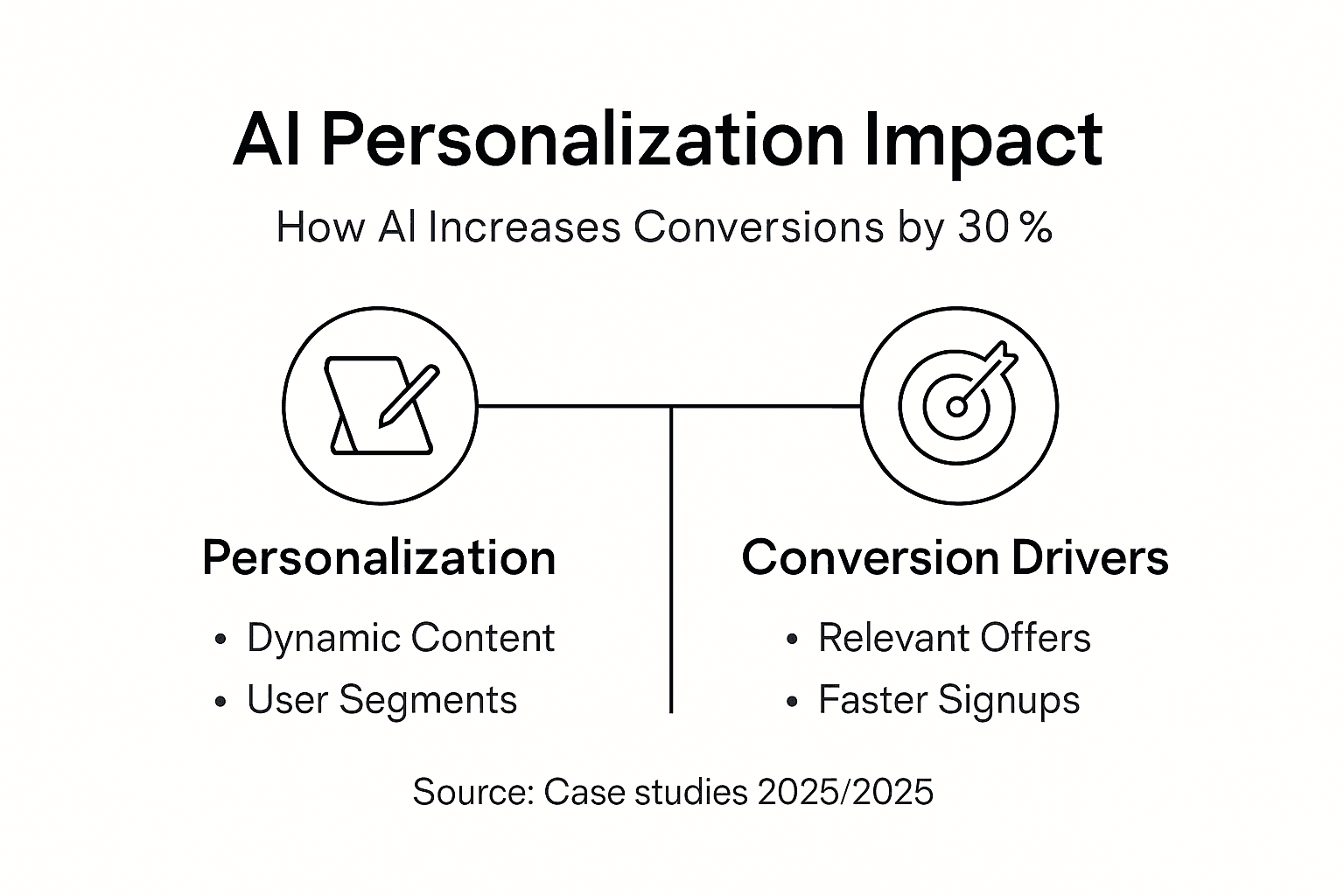
Understanding AI-driven personalization resources and staying current with 2026 website design trends helps you maintain competitive advantages. The convergence of SEO and AEO integration creates new opportunities for businesses willing to adapt their digital strategies.
Successful website optimization starts with clear preparation. Jumping into technical changes without defining measurable goals wastes time and resources. You need a solid foundation before implementing any optimization tactics.
Define clear, measurable business goals that link website performance to revenue outcomes. Are you focused on lead generation, e-commerce sales, or brand awareness? Each goal requires different optimization priorities. Set specific KPIs like “increase qualified leads by 25%” or “reduce bounce rate to under 40%” to measure success accurately.
Understand basic concepts before diving into technical work:
Use these critical tools to guide your optimization decisions:
| Tool Category | Recommended Options | Primary Function |
|---|---|---|
| Analytics | Google Analytics 4 | Track visitor behavior and conversions |
| Performance | PageSpeed Insights, GTmetrix | Measure load times and Core Web Vitals |
| SEO Audit | Google Search Console | Monitor search visibility and indexing |
| Accessibility | WAVE, Lighthouse | Evaluate WCAG compliance and usability |
Optional but highly recommended: familiarize yourself with WordPress and Elementor Pro if you’re using these platforms. Understanding your content management system’s capabilities helps you implement changes efficiently without breaking existing functionality. Staying informed about website design trends and website launch tips provides valuable context for your optimization efforts.
Pro Tip: Create a spreadsheet documenting your current baseline metrics before making any changes. Record your current load time, bounce rate, conversion rate, and search rankings. This baseline lets you measure actual improvement and calculate return on investment accurately.
Your website structure directly impacts both SEO performance and user comprehension. A well-organized site helps search engines understand your content relationships while guiding visitors toward conversion actions naturally.

Organize content into topic clusters that enhance SEO relevance. Create pillar pages covering broad topics, then link them to detailed cluster content addressing specific subtopics. This structure signals expertise to search engines and helps users find comprehensive information easily.
Map primary audience needs to optimize navigation paths:
Integrate Answer Engine Optimization concepts to boost AI search visibility. Structure content to answer specific questions clearly and concisely. AI search engines prioritize content that directly addresses user intent with factual, well-organized information. Use headers that mirror natural language questions and provide immediate, actionable answers.
Plan your content hierarchy to reflect revenue-driving services and key business goals. Your homepage should clearly communicate your core value proposition within three seconds. Secondary pages should support this narrative while addressing specific customer needs and objections.
Strategies to increase qualified leads with structured content show how content architecture directly impacts lead generation effectiveness.
Pro Tip: Sketch your website structure on paper before implementing changes. Visual mapping reveals redundant pages, confusing navigation paths, and opportunities to simplify user journeys. Share this sketch with colleagues or customers to validate that your structure matches how real people think about your services.
Technical performance forms the foundation of user experience and search rankings. Google’s Core Web Vitals measure loading speed, interactivity, and visual stability. Poor scores in these areas hurt both user satisfaction and search visibility.
Implement these proven techniques to improve load speed:
Monitor website load times consistently, aiming for under two seconds across all devices. Use PageSpeed Insights weekly to track Core Web Vitals scores. Address any red-flagged issues immediately, as up to 40% of website traffic is lost due to slow load times and poor mobile experience.
Ensure semantic HTML and clean coding practices improve SEO indexing and accessibility. Search engines parse HTML structure to understand content hierarchy and relationships. Proper use of heading tags (H1, H2, H3), semantic elements (article, section, nav), and structured data helps search engines index your content accurately.
| Performance Metric | Target Score | Impact on Business |
|---|---|---|
| Largest Contentful Paint (LCP) | Under 2.5 seconds | Faster perceived load time increases engagement |
| First Input Delay (FID) | Under 100 milliseconds | Better interactivity reduces frustration |
| Cumulative Layout Shift (CLS) | Under 0.1 | Stable layout prevents accidental clicks |
| Time to First Byte (TTFB) | Under 600 milliseconds | Quick server response improves overall speed |
Regularly audit site speed to preempt traffic loss related to technical issues. Set up automated monitoring using tools like Uptime Robot or Pingdom. These services alert you immediately when load times spike or servers go down, allowing rapid response before losing significant traffic.
Addressing common DIY optimization issues prevents costly mistakes that actually harm performance. Learn more about site speed and mobile responsiveness tips to implement best practices correctly.
User experience and accessibility optimization expands your audience while improving engagement metrics that influence search rankings. Inclusive design benefits everyone, not just users with disabilities.
Apply WCAG 2.1 guidelines to improve accessibility and legal compliance. These guidelines ensure your website works for people using screen readers, keyboard navigation, and other assistive technologies. Websites following WCAG guidelines show improved rankings and increased engagement from people with disabilities, demonstrating that accessibility benefits all visitors.
Optimize navigation and layout for mobile-first experiences:
Regularly update content to maintain trust, relevance, and SEO performance. Outdated information damages credibility and causes search engines to deprioritize your pages. Review and refresh key pages quarterly, updating statistics, examples, and recommendations to reflect current conditions.
Accessible design elements include:
Implementing managed WordPress SEO and accessibility ensures ongoing compliance without constant manual oversight. Explore WCAG and accessibility best practices for detailed implementation guidance.
Pro Tip: Test your website using only a keyboard (no mouse) for five minutes. Try navigating menus, filling forms, and clicking links using only Tab, Enter, and arrow keys. This simple exercise reveals accessibility barriers that affect both disabled users and search engine crawlers.
AI-powered search engines analyze content differently than traditional search algorithms. Optimizing for AI search visibility requires structured data, conversational content, and personalization capabilities that adapt to individual visitors.
Implement structured data and schema markup to enhance AI search engine understanding. Schema markup provides explicit context about your content, helping AI systems accurately interpret your services, products, and expertise. Add schema for local business, services, FAQs, and reviews to maximize visibility in AI-powered search results.
Use AI personalization tools to dynamically adapt content and product recommendations. Personalization engines analyze visitor behavior in real time, adjusting content, offers, and calls-to-action based on individual preferences and past interactions. AI-driven personalization can increase conversion rates by up to 30% compared to static website experiences.
Optimize content for voice search and AI chatbots:
Continuous AI integration ensures relevance in rapidly evolving search landscapes. AI technologies advance quickly, requiring ongoing adaptation. Monitor AI referral traffic sources monthly and adjust content strategies based on which AI platforms drive qualified visitors to your site.
Learning about content optimization with AI helps you maintain competitive advantages. Explore AI optimization resources for implementation strategies and stay current with AI-driven personalization strategies as technology evolves.
Understanding common optimization mistakes helps you avoid wasting time and resources on ineffective tactics. Many business owners repeat predictable errors that undermine their optimization efforts.
Skipping goal setting leads to unfocused optimization efforts. Without clear objectives, you cannot measure success or prioritize improvements effectively. Define specific, measurable goals before making any technical changes.
Ignoring mobile and speed optimization risks losing up to 40% of potential traffic. Mobile visitors now represent the majority of web traffic for most businesses. Poor mobile experiences cause immediate abandonment and hurt search rankings across all devices.
Failing to update content regularly decreases rankings and user trust:
Overusing plugins can slow sites and introduce security vulnerabilities. Each WordPress plugin adds code that must load on every page visit. Audit plugins quarterly and remove any that are not actively providing essential functionality. Keep remaining plugins updated to patch security vulnerabilities.
Not applying structured data risks missing out on AI search visibility. Schema markup helps AI systems understand your content’s context and purpose. Without it, AI search engines may misinterpret or overlook your content entirely.
Avoiding common DIY pitfalls saves significant time and prevents costly errors. Consider managed WordPress solutions to eliminate technical headaches while maintaining strategic control. Review common optimization mistakes to ensure you are following current best practices.
Pro Tip: Create a monthly optimization checklist covering speed tests, content updates, plugin audits, and security scans. Consistent maintenance prevents small issues from becoming major problems that require expensive emergency fixes.
Understanding realistic timelines and expected outcomes helps you stay motivated during the optimization process. Results vary based on your starting point, industry competitiveness, and implementation consistency.
SEO ranking and traffic improvements typically appear within 90 days post-optimization. Search engines need time to recrawl your site, process changes, and adjust rankings accordingly. Technical improvements like speed optimization may show immediate impact on user behavior, but ranking changes accumulate gradually.
Expect these measurable improvements:
Use KPIs and analytics tools to measure load times, engagement, and lead generation. Track metrics weekly to identify trends and adjust strategies quickly. Focus on business outcomes like qualified leads and revenue rather than vanity metrics like total page views.
| Optimization Approach | Timeline to Results | Resource Investment | Control Level |
|---|---|---|---|
| Full DIY | 4-6 months | High time, low cost | Complete control |
| Managed Platform | 1-3 months | Low time, moderate cost | Strategic control |
| Traditional Agency | 3-6 months | Low time, high cost | Limited control |
| Hybrid (Tools + Consulting) | 2-4 months | Moderate time and cost | Balanced control |
Strategies for measuring website traffic and leads help you track ROI accurately and adjust tactics based on actual performance data.
Website optimization is a continuous cycle of planning, implementation, measurement, and adaptation. The strategies in this guide provide a proven framework for improving your site’s performance, visibility, and conversion rates without relying on expensive agencies.
Start by setting clear goals and establishing baseline metrics. Follow the sequential optimization steps: plan your structure around business objectives, optimize technical performance, enhance user experience and accessibility, and integrate AI capabilities. Avoid common mistakes by maintaining focus on mobile responsiveness, regular content updates, and clean technical implementation.
Investment in managed growth platforms or solutions can accelerate success without agency overhead. Clear pricing and manageable plans ensure sustainable optimization for business growth. The most successful businesses treat website optimization as an ongoing investment rather than a one-time project.
Regularly revisit goals and optimization tactics as AI and search technologies evolve. What works today may need adjustment in six months as search algorithms update and user expectations shift. Stay informed about industry changes and adapt your strategies accordingly to maintain competitive advantages in the evolving digital environment.
Implementing these optimization strategies takes time and expertise you might not have. MonsterWP offers custom managed WordPress websites with integrated SEO, speed, and security optimized for growth from day one. Every site is built using Elementor Pro and includes unlimited content updates with rapid revisions.

Enjoy transparent, flat-fee pricing starting at $299 per month with no long contracts or hidden fees. Our managed WordPress SEO & PPC service combines expert AI-driven personalization and answer engine optimization without agency markups. We also provide content optimization services to enhance your existing pages for maximum performance. MonsterWP is ideal for business owners who want professional results and full strategic control without DIY headaches or overpriced agency retainers.
SEO improvements typically show within 90 days, but technical performance boosts can have immediate impact on user behavior and engagement metrics. Search engines need time to recrawl your site and adjust rankings based on your changes. Consistent monitoring and adjustments accelerate and sustain growth over time. Track weekly metrics to identify which changes drive the strongest results.
Yes, this guide plus reliable tools enable you to optimize independently while maintaining full control over your digital strategy. The key is following a structured approach and avoiding common mistakes that waste time and resources. Managed WordPress platforms provide a hybrid option combining DIY strategic control with expert technical support and ongoing maintenance.
Google Analytics, Google Search Console, and PageSpeed Insights are essential free tools that cover most optimization needs. These platforms provide comprehensive data on traffic sources, user behavior, search visibility, and technical performance. SEO auditing tools like Ahrefs or SEMrush offer deeper competitive insights and keyword research capabilities with paid subscriptions. Explore SEO audit and content tools to find solutions matching your specific needs.
AI adapts website content, layout, and calls-to-action dynamically based on individual visitor behavior, demographics, and preferences to enhance relevance. This personalization creates unique experiences that address specific visitor needs more effectively than static content. AI personalization can increase conversion rates by up to 30% according to 2026 trend data. Learn more about AI-driven personalization insights to implement these strategies effectively.
Unlock the future with our 2026 digital marketing trends guide. Discover AI personalization, GEO, and more strategies for lasting growth!

Discover what is predictable pricing in web services and learn how fixed costs can empower your SMB’s budget. Gain financial control today!