
The Role of Google Search Ranking for Business Growth
Discover the crucial role of Google search ranking in driving business growth. Learn how to optimize your online presence and boost visibility!


TL;DR:
- Elementor Pro enhances WordPress site building with full-site design control, including theme, popup, and WooCommerce builders. It replaces multiple plugins, streamlines workflows, and enforces brand consistency through global styles and reusable templates. Proper infrastructure is essential to manage its performance impact and maximize its extensive features for complex websites.
Elementor Pro is defined as the premium upgrade to the free Elementor WordPress page builder, transforming basic page editing into full-site design control with advanced marketing tools, WooCommerce customization, and a complete Theme Builder. It is not simply a plugin with more widgets. It is a site-building system that replaces what would otherwise require three to four separate plugins. With over 16 million active installations as of 2026, Elementor Pro is the most widely deployed premium WordPress design tool in the world. That scale reflects something real: for agencies, business owners, and professional designers, it has become the default infrastructure for building sites that convert.
Elementor Pro is the paid tier of the Elementor visual builder, and the gap between free and Pro is not cosmetic. The free version handles basic page layouts. Elementor Pro handles the entire site. The distinction matters because most professional websites require more than a homepage and a contact form.

The most significant addition is the Theme Builder, which lets you design custom headers, footers, archive pages, single post templates, and 404 pages without touching a theme file. This is the feature that separates Elementor Pro from every free page builder on the market. You are no longer constrained by what your WordPress theme allows. You control every pixel of every page type.
Beyond theme control, Elementor Pro includes a native Popup Builder and Form Builder with integrations for Mailchimp, HubSpot, ActiveCampaign, and other major marketing platforms. These tools alone replace multiple plugins that would otherwise create update conflicts and security vulnerabilities. Fewer plugins means a leaner, more manageable WordPress installation.
The WooCommerce Builder extends that control to eCommerce. You can design custom product pages, shop archives, cart layouts, and checkout flows without a separate WooCommerce theme or page builder add-on. For any store owner who has tried to customize WooCommerce with generic themes, this is a significant unlock.
Here is a direct comparison of what each tier delivers:
| Feature | Elementor Free | Elementor Pro |
|---|---|---|
| Visual drag-and-drop editor | Yes | Yes |
| Theme Builder (headers, footers, archives) | No | Yes |
| Popup Builder | No | Yes |
| Form Builder with CRM integrations | No | Yes |
| WooCommerce Builder | No | Yes |
| Widget count | ~40 | 100+ widgets |
| Professional templates | ~30 | 300+ |
| Dynamic content and display conditions | No | Yes |
| Custom CSS per element | No | Yes |
| Motion effects and scroll animations | Limited | Full |
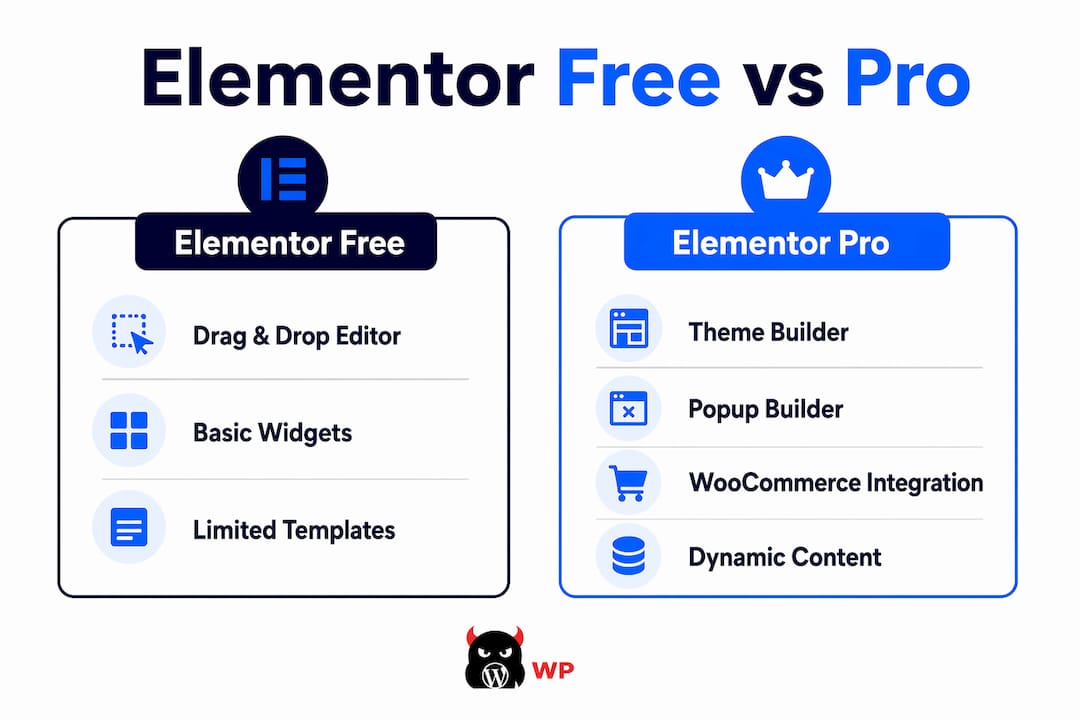
Elementor Pro also supports dynamic content and conditional display, which means templates can pull in live data from custom fields, post metadata, or WooCommerce attributes. This is not a minor feature. It is what makes Elementor Pro viable for complex business sites where content changes frequently.
The real value of Elementor Pro for agencies and professional designers is not any single feature. It is the system it creates. Global styles and reusable templates enforce brand consistency across every page, which means a color change or font update propagates site-wide in seconds rather than hours.
Consider what that means operationally. Without global styles, a 30-page website requires manual updates to every section when a client changes their brand palette. With Elementor Pro’s global design system, that same update takes under a minute. For agencies managing multiple client sites, this is not a convenience. It is a business model.
The workflow advantages compound when you factor in plugin consolidation. Replacing three to four separate plugins with Elementor Pro’s built-in tools cuts the number of moving parts in your WordPress stack. Fewer plugins means fewer update cycles, fewer compatibility conflicts, and fewer security patches to monitor. That reduction in backend noise is something most site owners underestimate until they are troubleshooting a broken site at midnight.
Here is how Elementor Pro systematizes professional site building:
Pro Tip: Agencies pairing Elementor Pro with Advanced Custom Fields Pro (ACF Pro) can build data-heavy custom post type sites without writing a single line of PHP. This combination is an industry-standard approach for delivering complex client sites on tight timelines.
Elementor Pro adds a measurable performance tax compared to building with native WordPress blocks. This is not a rumor. It is a documented trade-off that every professional using the tool needs to understand before deploying it on a production site. The question is not whether the impact exists. It is whether you have the infrastructure to manage it.
The performance overhead comes from Elementor Pro loading its own CSS and JavaScript assets on every page, regardless of which widgets are actually used. On a shared hosting environment with no caching layer, this can push page load times into ranges that hurt both user experience and Google search rankings. A site that looks beautiful in the editor can perform poorly in the real world if the hosting stack is not configured properly.
The good news is that performance can be managed with the right combination of server-side caching, a content delivery network, image optimization, and asset minification. Elementor Pro itself includes a built-in performance panel that allows you to disable unused features and reduce asset loading. The tool is not inherently slow. It is demanding, and demanding tools require capable infrastructure.
Key performance factors to address when running Elementor Pro:
For teams shipping many pages on a regular basis, Elementor Pro’s site-building system yields efficiency gains that outweigh the added load, provided the hosting environment is built for it. The mistake most DIY site owners make is pairing a premium builder with budget hosting and wondering why the site is slow.
The free version of Elementor is genuinely capable for simple use cases. A basic landing page, a personal blog, or a brochure site with three to five pages does not require a Pro license. If you are building a site that does not need custom headers, popups, forms with CRM integrations, or WooCommerce customization, the free tier covers the fundamentals.
The calculus changes the moment your site needs to do more than display content. Sites requiring Theme Builder, popups, forms, and WooCommerce designs should upgrade to Elementor Pro. That is not a sales pitch. It is a functional reality. Trying to replicate those capabilities with free plugins creates a fragile, conflict-prone stack that costs more in maintenance time than the Pro license ever would.
| Use Case | Free Elementor | Elementor Pro |
|---|---|---|
| Simple landing page | Sufficient | Overkill |
| Blog with custom post layouts | Limited | Recommended |
| WooCommerce store with custom design | Not viable | Required |
| Agency building multiple client sites | Inefficient | Recommended |
| Lead generation with forms and popups | Not viable | Required |
| Site with custom headers and footers | Not viable | Required |
Elementor Pro subscription plans start around $5 per month, with tiers based on the number of sites you need to cover. That pricing makes the decision straightforward for anyone running a business site. The cost of a single hour of developer time to patch plugin conflicts exceeds a year of Elementor Pro licensing.
Pro Tip: If you are an agency building more than five client sites per year, the multi-site Elementor Pro license pays for itself in the first project. The template system alone eliminates hours of repeated design work per build.
For business owners weighing the investment, the right question is not “Can I afford Elementor Pro?” It is “Can I afford the alternative?” Cobbling together free plugins to replicate Pro’s features creates a site that is harder to maintain, slower to update, and more vulnerable to breaking changes. You can read more about why Elementor suits business websites before making the call.
Elementor Pro is the most capable visual site-building system for WordPress, and its value scales directly with the complexity of what you are building.
| Point | Details |
|---|---|
| Pro vs. free distinction | Elementor Pro adds Theme Builder, Popup Builder, Form Builder, and WooCommerce Builder that the free version lacks entirely. |
| Plugin consolidation | Pro replaces three to four separate plugins, reducing conflicts, security risks, and maintenance overhead. |
| Performance requires infrastructure | Elementor Pro’s asset load demands managed hosting, caching, and image optimization to maintain fast page speeds. |
| Best fit for complex sites | Agencies, WooCommerce stores, and lead-generation sites gain the most from Pro’s system-level design tools. |
| Pricing is accessible | Plans starting around $5 per month make Elementor Pro cost-effective compared to the developer time it saves. |
Elementor Pro is one of the few tools in the WordPress ecosystem that actually delivers on its promise. The Theme Builder alone justifies the license for any site that needs a consistent, branded experience across more than a handful of pages. The learning curve is real, but it is front-loaded. Once you understand how global styles, template conditions, and dynamic content interact, you build faster than you ever could with a traditional theme.
What most reviews miss is the operational cost of the alternative. I have seen business owners spend thousands of dollars on developer fixes for sites built on a patchwork of free plugins, all trying to replicate what Elementor Pro does natively. The plugin conflicts, the broken updates, the security patches. It adds up fast, and it adds up quietly until something breaks at the worst possible moment.
The performance concern is legitimate but manageable. The mistake is treating it as a reason to avoid Elementor Pro rather than a reason to invest in proper hosting. A well-configured managed WordPress environment with server-level caching and a CDN will run Elementor Pro sites fast enough to satisfy Google’s Core Web Vitals. The tool is not the problem. Underpowered infrastructure is the problem.
For agencies, Elementor Pro paired with ACF Pro is close to the ideal setup for delivering custom, data-driven sites without a custom development budget. For business owners, it is the difference between a site that looks professional and one that actually functions as a lead-generating asset. The investment is small. The upside is not.
— Vector
Every website MonsterWP builds runs on Elementor Pro, configured on managed infrastructure that is tuned for performance from day one. We handle the hosting, the caching, the image optimization, and the security so that Elementor Pro’s capabilities work the way they are supposed to, without the performance tax that kills DIY builds.

If you are tired of slow sites, broken plugins, and agencies that charge a fortune to do what should be straightforward, MonsterWP is built for you. Our custom WordPress websites start at $299 per month and include everything: design, hosting, SEO structure, unlimited updates, and the full power of Elementor Pro without the headache of managing it yourself. No bloated retainers. No long contracts. Just a site that works.
Elementor Pro adds the Theme Builder, Popup Builder, Form Builder with CRM integrations, and WooCommerce Builder. These tools enable full-site design control that the free version does not support.
Yes. Any business site that needs custom headers, lead capture forms, or WooCommerce customization will benefit from Elementor Pro. Plans start around $5 per month, which is less than the cost of a single developer hour.
Elementor Pro licenses are tiered by site count. A single license covers one site, while higher tiers cover multiple sites, making it cost-effective for agencies managing several client builds simultaneously.
Elementor Pro adds asset load compared to native WordPress blocks, but the impact is manageable with proper hosting, server-level caching, and image optimization. On managed WordPress infrastructure, Elementor Pro sites can meet Google’s Core Web Vitals benchmarks.
Elementor Pro replaces three to four separate plugins by combining popup, form, theme, and WooCommerce building tools in one system. This reduces plugin conflicts, security risks, and backend complexity.
Discover the crucial role of Google search ranking in driving business growth. Learn how to optimize your online presence and boost visibility!

Discover the crucial role of your website in revenue protection. Learn to secure your digital assets and prevent revenue loss today!