
Social Media Marketing Tips for Small Business Growth
Unlock your business’s potential with proven social media marketing tips. Boost visibility, attract customers, and thrive without a big budget!


TL;DR:
- Optimizing speed, SEO, and lead conversion together can significantly boost small business websites.
- Focus on easy wins like image compression, caching, and clear CTAs for quick performance gains.
- Prioritize revenue-driven metrics over vanity scores for meaningful website growth.
Your website is either working for you or against you. Many small and mid-sized business owners watch their traffic flatline, their leads dry up, and their load times crawl, then assume only a high-priced agency can turn things around. That belief is costing you money. The truth is that performance, SEO, and lead generation are deeply connected, and targeted optimizations you control can move all three at once. This article gives you a practical, step-by-step roadmap to audit your site, speed it up, rank higher in 2026, and convert more visitors into real leads, no agency required.
| Point | Details |
|---|---|
| Start with clear goals | Defining exactly what you want from your site helps prioritize what to optimize first. |
| Tackle speed, then SEO | Improve site speed before making major SEO changes—both impact conversions and rankings. |
| Upgrade lead capture | Well-placed CTAs and concise forms on your best pages can increase qualified leads up to 3%. |
| Measure and improve monthly | Track your performance and conversion metrics regularly to guide ongoing improvements. |
Before you touch a single plugin or rewrite a headline, you need to know what you’re fixing and why. Too many business owners make random changes and wonder why nothing improves. Start by defining your top three goals. Are you trying to load faster, rank higher on Google, or capture more leads? Each goal points to a different set of fixes, so clarity here saves you weeks of wasted effort.
Next, measure where you stand today. The three metrics that matter most are:
Run your site through the free PageSpeed Insights tool and Google Search Console. These tools give you a clear picture of where your site fails and what to fix first. Your website optimization guide can help you interpret results and prioritize changes.
Here’s a quick benchmark table to compare your current numbers:
| Metric | Poor | Needs Work | Good |
|---|---|---|---|
| LCP (load speed) | Over 4s | 2.5s to 4s | Under 2.5s |
| CLS (layout shift) | Over 0.25 | 0.1 to 0.25 | Under 0.1 |
| Lead conversion rate | Under 0.5% | 0.5% to 1% | 1% to 3%+ |
| Mobile load time | Over 5s | 3s to 5s | Under 3s |
Speed matters more than most owners realize. 50% of mobile users abandon sites that take longer than 3 seconds to load. That’s half your potential customers gone before they read a single word. Review your business website essentials to make sure your foundation is solid before optimizing.
Pro Tip: Screenshot or export your current stats from PageSpeed Insights and Search Console before making any changes. You can’t prove improvement without a baseline.
With your baselines assessed, focus next on easy performance fixes that deliver the biggest speed gains. Most WordPress speed problems come from a handful of fixable issues, and you don’t need a developer to solve them.
Here’s a prioritized list of speed improvements to tackle in order:
Here’s a quick comparison of popular WordPress speed tools:
| Tool | Category | Cost | Best For |
|---|---|---|---|
| ShortPixel | Image optimization | Free/Paid | Bulk image compression |
| WP Rocket | Caching | Paid | All-in-one speed boost |
| Cloudflare | CDN | Free/Paid | Global delivery speed |
| W3 Total Cache | Caching | Free | Budget-friendly caching |
“Optimizing images by compressing before upload, using WebP/AVIF formats, and avoiding lazy-loading on LCP hero images is one of the fastest ways to improve your Core Web Vitals score.” WordPress speed best practices
A 1-second delay costs 7% in conversions, which adds up fast if you’re running any kind of paid traffic. Apply these fixes one at a time and retest with PageSpeed Insights after each change. Pair speed work with strong custom website design tips to ensure your fast site also converts. These changes directly support your SEO ranking factors as well.
Pro Tip: Make one change at a time and retest before moving to the next fix. This way you know exactly which update moved the needle.
Speed alone isn’t enough. Your website also needs to be found and trusted, which means updating your SEO playbook for 2026. The rules have shifted. Keyword stuffing is dead. What works now is relevance, authority, and structure.
Here’s what actually moves rankings for small businesses in 2026:
SEO in 2026 emphasizes AI visibility: structured data, entity clarity, and E-E-A-T are now table stakes. AI-powered search engines like Google’s Search Generative Experience pull from pages that are clearly structured and authoritative, so your content needs to be both.
Core Web Vitals remain a ranking signal. Good CWV boosts rankings and increases engagement, so speed and SEO are not separate projects. They reinforce each other.
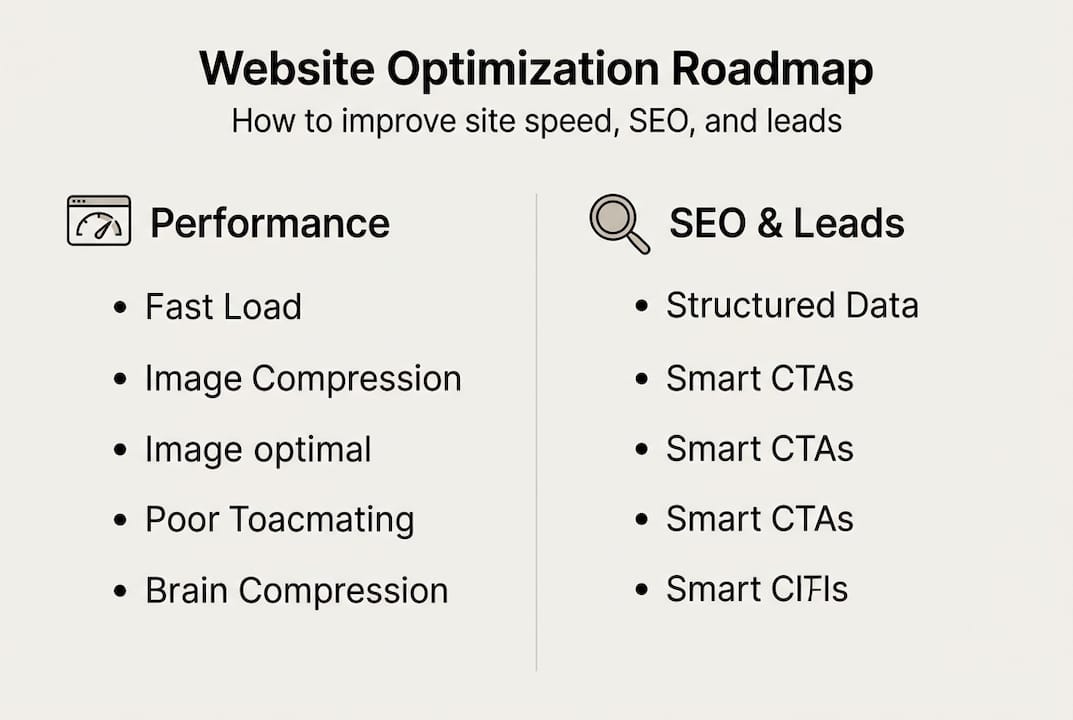
Review your SEO ranking factors for SMBs to build a complete checklist. Your website management guide can help you keep these improvements consistent over time.
Pro Tip: Go back to your three highest-traffic pages and add FAQ schema plus one clear entity statement in the first paragraph. You’ll likely see a rankings lift within 30 to 60 days.
Now that your site loads quickly and ranks higher, focus on turning more of those visitors into potential customers. Traffic without conversion is just noise. The good news is that a few focused changes can dramatically increase how many visitors raise their hand.
Start by identifying your top lead-capture opportunities:
These pages already have visitors. Adding or improving lead capture here costs nothing and pays immediately.
Here are proven tactics to increase lead form conversions:
Using exit-intent and scroll-triggered popups combined with short forms and valuable lead magnets is one of the most reliable ways to hit a 1 to 3% conversion rate, which is the solid benchmark for most small business websites.

See how creating high-converting landing pages ties all these tactics together. Also review how website design impacts on leads and explore types of business websites for leads to find the right model for your business.
Pro Tip: A/B test one element at a time, whether it’s a button color, headline, or form placement. Changing too many things at once makes it impossible to know what worked.
Capturing more leads is an ongoing effort. Here’s how to ensure your site keeps getting better each month rather than stagnating after your first round of fixes.
Follow this monthly optimization routine:
Here’s a simple quarterly scorecard to track your progress:
| Metric | Q1 Baseline | Q2 | Q3 | Q4 |
|---|---|---|---|---|
| Average page load time | ||||
| Top keyword ranking | ||||
| Monthly lead form submissions | ||||
| Lead conversion rate | ||||
| Core Web Vitals score |
Fill this in each quarter and you’ll have a clear picture of what’s improving and what needs attention. Your optimization guide has additional frameworks for structuring this review. If you want help optimizing existing website content, that’s a great place to start.
“Consistent, incremental improvement beats a single overhaul every time. Small monthly wins compound into major results over a year.”
When numbers drop, don’t panic. Check for recent plugin updates that may have broken caching, new images that weren’t compressed, or a CTA that got accidentally removed during a content edit. A/B testing headlines and buttons regularly keeps your conversion rate climbing toward that 1 to 3% benchmark.
Here’s a hard truth we’ve learned from working across hundreds of websites: most business owners are optimizing for the wrong thing.
It’s easy to obsess over a PageSpeed score of 100 or a perfectly green Core Web Vitals report. Those numbers feel satisfying. But we’ve seen sites with near-perfect speed scores that generate almost no leads, and sites with average scores that print money because their CTAs are sharp and their content answers exactly what buyers are searching for.
SEO experts now agree that chasing traffic volume over revenue-focused intent is a losing strategy for SMBs. A page that ranks for a high-intent, long-tail keyword and converts at 3% is worth ten times more than a page that ranks for a broad term and converts at 0.2%.
Our advice: pick two or three metrics that are directly tied to revenue, whether that’s lead form submissions, calls booked, or product page conversions. Track those obsessively. Let the vanity metrics be a secondary concern. A smarter CTA on your custom website design for leads page will do more for your business than shaving 0.3 seconds off your load time.
Optimize with purpose. The goal is more revenue, not a prettier dashboard.
Ready to take your efforts further or want guaranteed results without the learning curve?
You’ve now got a clear framework to improve your site’s speed, SEO, and lead generation. But if you want to skip the trial and error and get a high-performance WordPress site built, managed, and optimized from day one, that’s exactly what we do at MonsterWP.

We build custom WordPress websites starting at $299 per month, fully managed with unlimited updates, built-in SEO, and conversion-focused design using Elementor Pro. Need something leaner? Our simple website package gets you live fast without bloated fees. And if you’re ready to dominate search, our fully managed WordPress SEO service handles rankings, structured content, and AI visibility so you can focus on running your business. No long contracts. Just results.
Use Google’s free PageSpeed Insights tool to get instant feedback on speed and specific, actionable fixes you can apply right away.
Compressing images and enabling caching both reduce load times and directly support higher SEO rankings since Core Web Vitals are a confirmed ranking factor.
A 1 to 3% conversion rate for lead forms is considered a strong benchmark for most small and mid-sized businesses.
Review your Core Web Vitals and lead conversion stats at least monthly to catch regressions early and keep your improvements compounding over time.
Unlock your business’s potential with proven social media marketing tips. Boost visibility, attract customers, and thrive without a big budget!

Discover what is website analytics and how it drives real business insights. Transform your data into actionable strategies today!