
2026 Digital Marketing Trends Guide for Growth
Unlock the future with our 2026 digital marketing trends guide. Discover AI personalization, GEO, and more strategies for lasting growth!

Your WordPress website is a 24/7 digital storefront generating leads and revenue. Yet 94% of hacked websites were running WordPress lacking proper maintenance, exposing businesses to costly downtime and lost sales. This guide delivers a proven maintenance strategy to protect your site, boost performance, and keep your business growing without the technical headaches.
| Point | Details |
|---|---|
| Regular maintenance prevents hacks and costly downtime | Structured routines safeguard your site from security breaches and revenue loss. |
| Prerequisites include access and backup strategies | Proper admin access and reliable backups using the 3-2-1 rule are foundational. |
| Maintenance routines ensure security, speed, and SEO | Daily, weekly, and monthly tasks keep your site fast, secure, and ranking well. |
| Managed hosting platforms improve performance significantly | Expert-managed services boost speed up to 200% and guarantee uptime above 99.9%. |
| Avoid common mistakes to protect your site | Skipping updates or backups leads to preventable security breaches and data loss. |
WordPress powers millions of business websites, but this popularity makes it a prime target for hackers and security threats. Without regular maintenance, your site becomes vulnerable to attacks, slowdowns, and downtime that directly impact your bottom line. Downtime costs for U.S. small businesses range $140 to $540 per hour, affecting revenue and customer trust significantly.
Beyond security, maintenance directly influences your search engine rankings and customer perception. Search engines prioritize fast, secure websites that deliver excellent user experiences. Regular updates signal to Google that your site is active, trustworthy, and worthy of higher rankings. Customers notice when a site loads slowly or displays security warnings, often abandoning it for competitors.
A structured WordPress maintenance checklist ensures your digital presence remains strong and competitive. This includes updating plugins and themes, monitoring uptime, optimizing databases, and backing up data consistently. Each task protects your investment and supports long-term business growth.
Pro Tip: Schedule maintenance during off-peak hours to minimize visitor impact. Most businesses find early morning or late evening ideal for updates and optimizations.
The benefits of proactive maintenance extend far beyond avoiding problems. You gain faster load times, improved SEO performance, better user experience, and peace of mind knowing your site operates at peak efficiency. For business owners focused on growth rather than technical details, investing in maintenance pays dividends through increased leads, higher conversions, and protected revenue streams.
Key maintenance benefits:
Before implementing any maintenance routine, you need proper access and foundational tools. Start with full administrative access to your WordPress dashboard and hosting control panel. Without these credentials, you cannot perform essential updates, backups, or security checks. Contact your hosting provider or web developer if you lack access.
A reliable backup strategy forms the foundation of safe maintenance. Follow the 3-2-1 backup rule: maintain three copies of your data, store them in two different formats, and keep one copy offsite. This approach protects against hardware failure, human error, and catastrophic events. Automated backup plugins simplify this process, scheduling regular backups without manual intervention.
Essential maintenance tools:
Understand basic WordPress components before making changes. Plugins extend functionality but require regular updates to patch security vulnerabilities. Themes control your site’s appearance and structure, also needing updates for compatibility and security. The WordPress core software provides the foundation, with frequent releases addressing bugs and security issues.
Monitoring tools help detect problems before they escalate. Uptime monitors alert you immediately when your site goes down, allowing quick response. Security scanners identify malware, suspicious files, and potential vulnerabilities. Performance monitoring tracks load times and identifies bottlenecks affecting user experience.
| Tool Type | Purpose | Recommended Frequency |
|---|---|---|
| Backup solution | Data protection and recovery | Daily automated backups |
| Uptime monitor | Downtime detection and alerts | Continuous monitoring |
| Security scanner | Malware and vulnerability detection | Weekly scans minimum |
| Performance monitor | Speed and optimization tracking | Weekly checks |
| Staging environment | Safe update testing | Before every update |
Establish these maintenance prerequisites before starting your routine. Proper preparation prevents mistakes, protects your data, and ensures smooth maintenance execution. Business owners who invest time in setup save countless hours troubleshooting problems later.
Structured maintenance routines protect your site through consistent, repeatable actions. Begin by establishing monitoring and backup schedules before performing any manual checks. Automated systems catch issues you might miss and provide safety nets for recovery.

Daily maintenance focuses on availability and security. Check uptime status to confirm your site remains accessible to visitors and search engines. Run security scans to detect malware, suspicious login attempts, or unauthorized file changes. Review error logs for warnings indicating potential problems. These quick checks take minutes but prevent major headaches.
Daily maintenance checklist:
Weekly tasks address updates and optimization. Update plugins, themes, and WordPress core to patch security vulnerabilities and improve functionality. Common maintenance errors cause 40% of site downtimes and can be prevented with structured routines. Always test updates on a staging site before deploying to production, protecting against compatibility issues or breaking changes.
Database optimization removes unnecessary data accumulated over time. WordPress stores post revisions, spam comments, and transient options that bloat your database and slow queries. Regular cleanup maintains optimal performance without affecting content or functionality.
| Task Category | Frequency | Time Required | Impact |
|---|---|---|---|
| Uptime monitoring | Daily | 2 minutes | Critical for availability |
| Security scans | Daily | 5 minutes | Prevents breaches |
| Plugin updates | Weekly | 15 minutes | Maintains security |
| Database optimization | Monthly | 10 minutes | Improves speed |
| Broken link checks | Monthly | 20 minutes | Enhances SEO |
Monthly maintenance includes deeper optimization and quality checks. Scan for broken links that frustrate visitors and hurt SEO rankings. Review and remove unused plugins and themes that create security vulnerabilities. Audit user accounts, removing inactive users and enforcing strong password policies.
Pro Tip: Create a maintenance calendar with automated reminders for each task. Consistency matters more than perfection, so stick to your schedule even when busy.
Test every update on a staging environment before production deployment. Staging sites mirror your live site, allowing safe testing without risking visitor experience. This extra step prevents catastrophic failures from incompatible plugins or theme conflicts. Most managed hosting platforms include staging environments, simplifying this critical safety measure.
Document your maintenance routine and track completion dates. This creates accountability, identifies patterns in issues, and provides valuable records for troubleshooting. Business owners who maintain detailed logs resolve problems faster and make informed decisions about upgrades or changes.
Managed WordPress hosting transforms site performance and reliability through expert optimization and automation. These platforms deliver faster load times by up to 200% compared to standard hosting, directly improving conversions and search rankings. Speed matters, users abandon sites loading slower than three seconds, costing you leads and revenue.
Uptime guarantees distinguish managed platforms from DIY hosting. Most managed services guarantee 99.99% uptime or better, translating to less than one hour of downtime per year. Compare this to shared hosting where outages occur unpredictably, often during peak business hours. Consistent availability builds customer trust and protects your revenue stream.
Automated backups and security monitoring eliminate human error from critical tasks. Managed platforms schedule daily backups, store them securely offsite, and test restoration regularly. Security teams monitor threats 24/7, applying patches immediately when vulnerabilities emerge. You gain enterprise-level protection without hiring technical staff.
Managed hosting advantages:
Fully managed services free business owners from technical maintenance burdens. Instead of troubleshooting server issues or researching plugin conflicts, you focus on growing your business. Experts handle optimization, security, and performance while you concentrate on strategy, marketing, and customer relationships.
| Feature | DIY Hosting | Managed WordPress Platform |
|---|---|---|
| Average load time | 4-8 seconds | 1-2 seconds |
| Uptime guarantee | 95-99% typical | 99.99% guaranteed |
| Security monitoring | Manual only | 24/7 automated |
| Backup frequency | Manual setup required | Daily automated |
| Expert support | Generic hosting help | WordPress specialists |
| Monthly time investment | 8-12 hours | Less than 1 hour |
Pro Tip: Calculate the value of your time spent on maintenance versus managed hosting costs. Most business owners discover managed services save money when accounting for hourly rates and opportunity costs.
The performance difference impacts more than just speed metrics. Fast, reliable website management benefits include higher search rankings, improved user experience, increased conversions, and reduced bounce rates. Search engines reward fast sites with better positions, bringing more organic traffic without additional advertising spend.
Managed platforms provide transparent reporting on performance metrics, security incidents, and uptime statistics. You see exactly what you pay for through detailed dashboards tracking speed improvements, blocked attacks, and successful backups. This visibility enables data-driven decisions about your digital presence and validates your investment in professional management.
Skipping timely updates ranks as the most dangerous maintenance mistake. 53% of security breaches stem from outdated plugins, yet many business owners delay updates fearing site breaks. The solution is staging environments where you test updates safely before production deployment. Never skip security patches, apply them within 24 hours of release.
Neglecting backups risks irrecoverable data loss from hacks, server failures, or human error. Business owners often assume their hosting provider handles backups, then discover none exist when disaster strikes. Take control by implementing your own automated backup solution following the 3-2-1 rule. Test restoration quarterly to confirm backups actually work.
Ignoring performance monitoring leads to slow load times that drive visitors away. You might not notice gradual slowdowns, but customers abandon sites loading longer than three seconds. Install performance monitoring tools that alert you when speed drops below acceptable thresholds. Address issues immediately before they impact conversions and search rankings.
Critical mistakes to avoid:
Testing updates before deployment prevents most site crashes and compatibility issues. Create a staging copy of your live site, apply updates there, then thoroughly test functionality. Check forms, payment processing, navigation, and key features before moving changes to production. This extra step saves hours of emergency troubleshooting.
Pro Tip: Maintain a rollback plan for every update. Keep recent backups accessible and document the exact versions of plugins, themes, and WordPress core before changes. Quick restoration minimizes downtime if problems occur.
Many business owners skip database optimization, allowing accumulated clutter to slow queries and page loads. Schedule monthly database cleanup removing post revisions, spam comments, and transient data. This simple task often improves speed by 20% or more without any code changes.
Learn from these common maintenance mistakes before they impact your site. Prevention costs far less than recovery from hacks, data loss, or extended downtime. Business owners who implement proper maintenance routines avoid most problems entirely, maintaining strong digital presence and protecting revenue.
Proper WordPress maintenance delivers measurable improvements in uptime, speed, and lead generation. Expect consistent uptime above 99.9%, meaning your site remains accessible to customers nearly 24/7. This reliability builds trust, improves search rankings, and ensures you never miss opportunities from potential customers.
Site speed optimization can increase conversions by 23% when properly executed. Managed maintenance routines typically boost load times significantly, often reducing page load from four seconds to under two seconds. This improvement enhances user experience, reduces bounce rates, and signals quality to search engines.
Lead conversion rates improve 20% or more within months of implementing structured maintenance. Faster sites encourage visitors to explore multiple pages, fill out forms, and complete purchases. Security badges and SSL certificates increase trust, converting hesitant visitors into customers. Performance optimization removes friction from the customer journey.
Measurable success metrics:
Bounce rates decrease as site performance improves. Visitors who encounter fast, secure, professional sites spend more time exploring and engaging. Reduced bounce rates signal quality to search engines, creating positive ranking momentum. Monitor this metric monthly to track the impact of your maintenance efforts.
| Metric | Before Maintenance | After 6 Months | Improvement |
|---|---|---|---|
| Average uptime | 98.5% | 99.95% | 1.45% increase |
| Page load time | 4.2 seconds | 1.8 seconds | 57% faster |
| Bounce rate | 68% | 52% | 24% reduction |
| Monthly leads | 45 | 67 | 49% increase |
| Search visibility | Position 15 | Position 8 | 47% improvement |
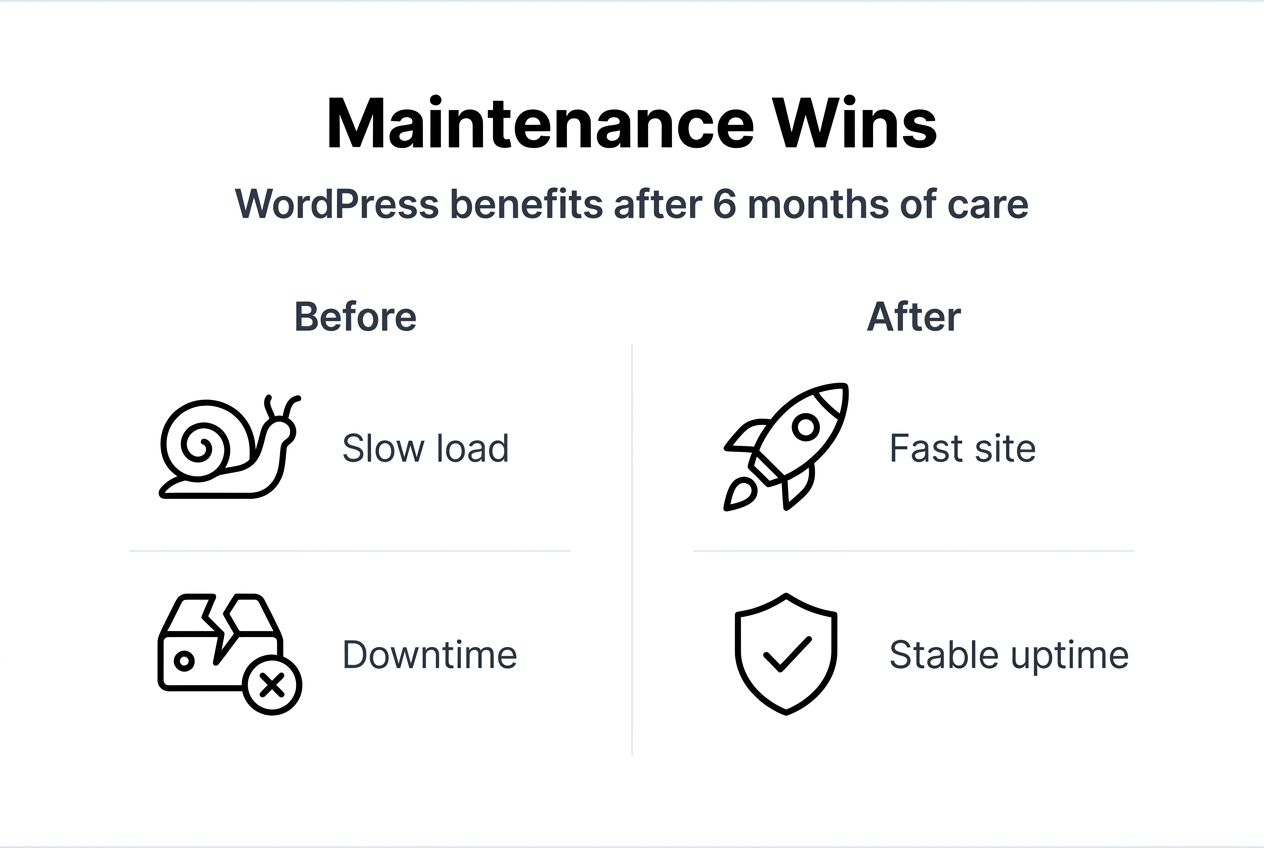
Search engine rankings improve gradually as maintenance enhances technical SEO factors. Fast sites with strong security and consistent uptime rank better than slow, unreliable competitors. Google explicitly considers page speed and mobile performance in ranking algorithms. Maintenance addresses these factors systematically.
Track metrics monthly to document progress and identify areas needing attention. Compare current performance against baseline measurements from before implementing maintenance routines. This data proves ROI to stakeholders and guides decisions about future investments in lead generation improvements and optimization.
Pro Tip: Set realistic expectations for improvement timelines. Security and uptime improve immediately, but SEO and conversion gains accumulate over three to six months as search engines recognize and reward your optimized site.
Regular WordPress maintenance protects your revenue, search rankings, and customer trust through systematic security, performance, and optimization practices. The structured approach outlined in this guide prevents costly downtime, security breaches, and lost leads that plague poorly maintained websites. Business owners who prioritize maintenance gain competitive advantages in speed, reliability, and search visibility.
Fully managed platforms offer transparent, measurable performance gains without requiring technical expertise or time investment. You focus on growing your business while experts maintain your website, apply security patches, optimize performance, and handle technical challenges. This division of labor maximizes your productivity and protects your digital investment.
“The cost of prevention is always less than the cost of recovery. Invest in WordPress maintenance now to avoid expensive emergencies later.”
Take action today by auditing your current maintenance practices against this guide. Identify gaps in backups, security, updates, or monitoring. Implement missing components systematically, starting with critical security and backup measures. Document your routine and schedule recurring tasks to maintain consistency.
Eliminate costly DIY mistakes and downtime by choosing professional solutions designed for business owners. The time saved and problems prevented far outweigh service costs when calculated honestly. Your website powers your business growth, protect it with the attention and expertise it deserves.
Maintaining a high-performance WordPress site doesn’t require technical expertise or endless hours troubleshooting. MonsterWP delivers custom fully managed WordPress websites starting at $299 per month, handling everything from security and updates to speed optimization and content changes.

Our managed WordPress maintenance services include automated daily backups, 24/7 security monitoring, expert performance optimization, and unlimited content updates. No hidden fees, no long contracts, just transparent pricing and measurable results. We protect your revenue while you focus on growing your business.
Businesses partnering with MonsterWP experience dramatic improvements in site performance and lead generation. Our clients report boosting leads by up to 50% within months of switching to fully managed hosting. Faster load times, consistent uptime, and expert SEO optimization combine to create powerful lead generation engines.
Stop wrestling with technical issues and agency headaches. Let MonsterWP’s WordPress specialists handle your website while you concentrate on customers, strategy, and growth. Schedule a consultation today to discover how managed WordPress hosting transforms your digital presence.
Update plugins and themes weekly or immediately when critical security patches are released to reduce vulnerabilities. Security updates address known exploits that hackers actively target, making delayed updates extremely risky. Always test updates on a staging site before applying to production to prevent compatibility issues or site breaks.
Managed hosting enhances speed by up to 200%, guarantees uptime above 99.9%, and strengthens security while reducing technical workload significantly. It provides automated daily backups, expert WordPress support, performance optimizations, and staging environments. Business owners gain enterprise-level infrastructure without hiring technical staff or learning complex server management.
Use the 3-2-1 backup rule: maintain three copies of your data, store them in two different formats, and keep one copy offsite. Regularly test backup restoration quarterly to confirm data integrity and verify you can actually recover your site. Automated backup solutions eliminate human error and ensure consistency without manual intervention.
DIY maintenance saves upfront costs but risks errors, security breaches, and costly downtime from inexperience. Managed services offer expert support, automated systems, performance guarantees, and 24/7 monitoring ideal for busy business owners. Calculate the value of your time spent on maintenance versus managed hosting costs, most discover professional services save money when accounting for opportunity costs and prevented disasters.
Unlock the future with our 2026 digital marketing trends guide. Discover AI personalization, GEO, and more strategies for lasting growth!

Discover what is predictable pricing in web services and learn how fixed costs can empower your SMB’s budget. Gain financial control today!