
Top content ideas for businesses to drive leads and growth
Discover the top content ideas that help small and mid-sized businesses generate real leads and measurable growth, with a clear framework, format comparison, and advanced tactics for 2026.


TL;DR:
- Effective landing pages focus on a single, clear conversion goal with benefits-driven messaging.
- Proper preparation, layout, copy, and trust signals are essential for high conversion rates.
- Continuous testing and authentic customer feedback improve landing page performance over time.
You pour time and money into a landing page, hit publish, and then… nothing. The traffic shows up, but the leads don’t. This is one of the most common and costly frustrations for service-based business owners. A landing page that doesn’t convert isn’t just a design problem. It’s a revenue leak. The good news? High-converting landing pages follow a clear, repeatable formula. In this guide, we walk you through every layer, from structure and copy to trust signals and testing, so you can build pages that consistently turn visitors into qualified leads and paying clients.
| Point | Details |
|---|---|
| Clarity drives conversions | Laser-focused messaging, layout, and calls-to-action make it easy for visitors to become leads. |
| Trust boosts results | Adding testimonials, reviews, and professional branding can lift conversion rates significantly. |
| Test and refine consistently | Ongoing optimization and user feedback are essential to keep conversion rates high. |
| Use the right tools | Effective landing page builders and analytics tools save time and provide proven results. |
A landing page is not just another page on your website. It has one job: move a visitor toward a single, specific action. That might be booking a consultation, downloading a free guide, or calling your office. Unlike your homepage, which juggles multiple goals, a landing page strips away the noise and focuses entirely on one conversion path.
So what separates a high-performing landing page from an average one? It comes down to a handful of critical elements working together:
As a concept, a “conversion path” is the route you intentionally design for a visitor to follow. Every element on the page should nudge them forward along that path. The more friction you remove, the more leads you collect.
| Typical website page | High-converting landing page |
|---|---|
| Multiple goals and CTAs | Single focused goal and CTA |
| Full navigation menu | No navigation, minimal links |
| General audience messaging | Audience-specific messaging |
| Mixed content types | Focused content around one offer |
| Optional analytics tracking | Conversion tracking is essential |
“Design directly influences conversion rates on service websites, with focused structure and professional presentation consistently outperforming cluttered, multi-purpose pages.”
If you want to understand what makes a high conversion website tick, the answer always starts with focus and intent. Your landing page should function like a trained salesperson: on-message, persuasive, and never distracted. Different types of business websites serve different purposes, and knowing where a landing page fits in your overall strategy is the first step toward better results.
Now that you know what makes a landing page effective, let’s prepare with the right goals and resources. Jumping straight into building is one of the most common mistakes service businesses make. Before you design a single section, you need absolute clarity on what success looks like.
Start by answering one question: what is the single action you want a visitor to take? Defining a clear offer and understanding your audience are essential to landing page success. Vague goals produce vague pages that produce no results.
Here’s a checklist of assets to gather before you build:
| Tool category | Recommended options |
|---|---|
| Landing page builders | Elementor Pro, Unbounce, Leadpages |
| Lead capture forms | WPForms, Typeform, HubSpot Forms |
| Analytics and tracking | Google Analytics 4, Hotjar, MonsterInsights |
| CRM integration | HubSpot, ActiveCampaign, Mailchimp |
Building high-converting lead forms requires matching your form fields to your offer. Ask for only the information you truly need. Every extra field you add drops your completion rate.
Mistakes to avoid when starting:
Pro Tip: Set up your conversion tracking in Google Analytics 4 before your page goes live. If you launch first and add tracking later, you lose data from your earliest and often most curious visitors. That early data is gold.
Once you have your goal and tools, it’s time to organize your landing page’s layout for persuasion and clarity. Layout is not about aesthetics alone. It’s about guiding the eye and reducing the mental effort required to say yes.
Here is the recommended layout structure, in order:
Mobile optimization and clean, distraction-free layouts increase form completions significantly, particularly for mobile users who account for more than half of all web traffic. If your layout breaks on a phone, you’re leaving leads on the table.

For visual choices, avoid stock photos that look generic. Real images of your team or actual client results outperform polished stock imagery every time. Keep text blocks short. White space is not wasted space; it’s breathing room that keeps readers moving forward. Study strong service page examples to see how effective layouts handle real-world service offers.
Consider adding a lead magnet like a free checklist or mini-guide to boost form completions if your service requires a longer consideration period before booking.
Common layout mistakes to avoid:
Pro Tip: Place a CTA button at the top, middle, and bottom of your page. Visitors enter with different levels of intent. Some are ready to act immediately. Others need to scroll. Meet them wherever they are.
With your layout in place, it’s time to make every word count. Copy is where most service business landing pages fall apart. Either it’s too vague, too feature-heavy, or it reads like a brochure written by a committee.
Start with your headline. It should immediately address a problem your audience feels or a result they want. Three frameworks that work:
Clear, specific CTAs and targeted copywriting substantially boost conversion rates. Weak CTAs are one of the biggest and most fixable problems on service landing pages.
Weak CTA: “Submit”
Strong CTA: “Book my free 20-minute strategy call”
The difference is specificity. The strong version tells visitors exactly what they’ll get and how long it takes. Uncertainty kills action.
Steps for writing CTAs that prompt immediate action:
Power words and phrases worth testing:
Match your copy tone to your audience. A law firm’s landing page sounds different from a personal training studio. Know who you’re talking to, and write like you’re speaking directly to one specific person. Persuasive landing page content always starts with knowing your reader better than they know themselves.
You’ve shaped the offer and message. Now maximize results by building instant trust and optimizing based on data. Visitors arrive skeptical. Your job is to dissolve that skepticism before they hit the back button.
Types of trust signals that work for service businesses:
Authentic trust elements like reviews and testimonials can increase form completion rates by up to 30%. That’s not a small number. It’s the difference between a page that barely performs and one that consistently delivers.
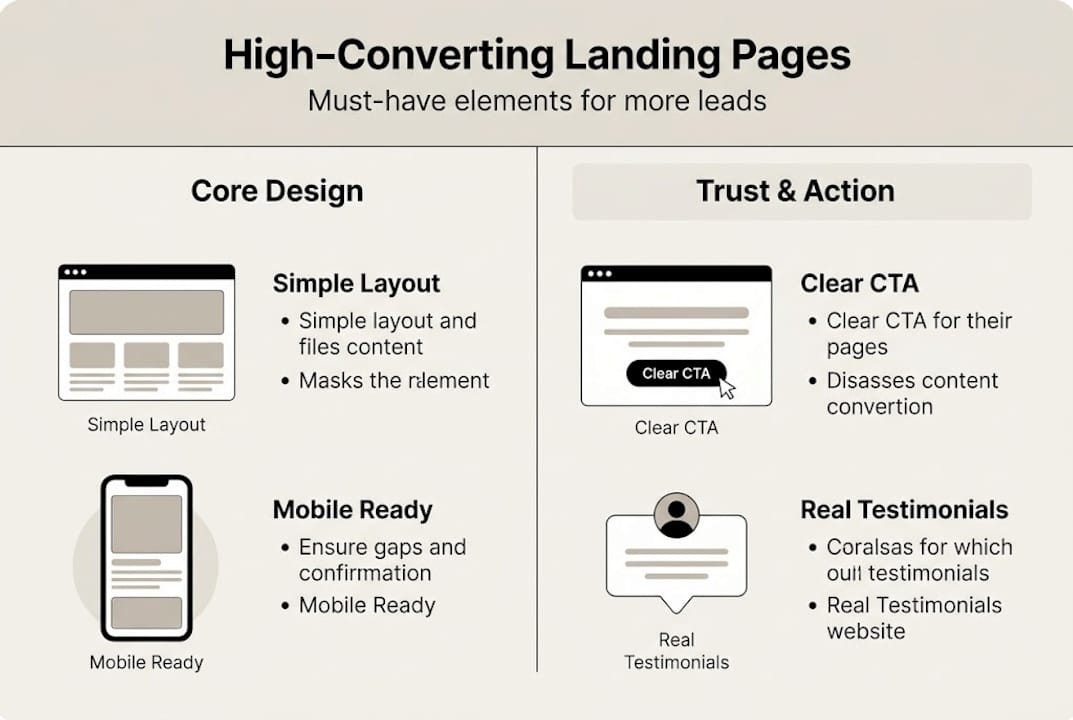
When requesting testimonials, ask clients to answer one specific question: “What result did you get and how did it change things for you?” Vague praise like “Great service!” does almost nothing. A specific story about a 40% increase in booked appointments does everything.
For legal and ethical considerations, always get written permission before publishing a client’s name, photo, or company. Never fabricate or embellish testimonials. Authenticity is both legally required and strategically smart.
Pro Tip: A/B test your trust signal placement. Try displaying testimonials directly beside your lead form and compare results against placing them below it. Small positioning changes can produce measurable improvements in completion rates.
Track everything. Monitor form submissions, button clicks, and scroll depth. Use that data to make one change at a time so you can isolate what’s actually working. Explore effective trust signals and how to position them for maximum credibility impact.
Having covered the full process, here’s what we’ve learned from working with dozens of service businesses: most failed landing pages aren’t failing because of bad design. They’re failing because they were built around what the business owner thinks the customer wants, not what customers actually say.
The most effective pages we’ve seen weren’t the prettiest. They were the most honest. They used real language from real clients. They addressed specific fears, not generic pain points. And they kept testing long after launch.
Conversion happens at the intersection of message, design, and proof. Pull any one leg out, and the whole thing collapses. Businesses that chase templates and trends without understanding their own customer’s voice will keep struggling, no matter how slick the page looks.
We’ve seen website design’s impact on lead generation up close, and the pattern is always the same. The pages that win are the ones built on real customer feedback, tested aggressively, and refined continuously. Start there, not with a competitor’s template.
Building a landing page that genuinely converts takes more than a pretty template. It takes strategy, technical setup, and ongoing optimization. If you’d rather skip the trial and error and get a page that’s built to perform from day one, we can help.

At MonsterWP, we build custom WordPress websites and landing pages designed specifically to generate leads for service-based businesses. Every page is built with Elementor Pro, optimized for speed and mobile, and backed by our team for ongoing revisions and improvements. If you’re looking for a fast, affordable way to launch a high-performance page, explore our flat fee WordPress website package and see how quickly we can get you live and converting.
A clear and compelling call-to-action that matches your audience’s needs is the single most crucial element. Specific CTAs are consistently the biggest conversion drivers across service industries.
Track form completions or clicks with analytics tools and compare to industry benchmarks for your service niche. Monitoring conversions and adjusting based on data is what separates improving pages from stagnant ones.
Dedicated landing pages outperform general websites for focused campaigns or offers, as they remove distractions and drive singular actions. Focused landing pages produce higher conversion rates for specific campaigns when compared to multi-purpose web pages.
Yes, many DIY builders make it possible if you follow proven frameworks, use real testimonials, and keep your messaging clear and benefit-focused. Modern landing page builders allow owners to use proven templates and tools without needing a professional designer.
Test small changes monthly and refresh testimonials or offers at least quarterly for continued performance. Regular updates and testing ensure your page keeps converting as audience expectations and market conditions evolve.
Discover the top content ideas that help small and mid-sized businesses generate real leads and measurable growth, with a clear framework, format comparison, and advanced tactics for 2026.

Discover the top AI SEO trends for SMBs in 2026, from GEO and AEO to AI agents and content clustering, and learn which strategies actually drive growth.