
Top 3 GoDaddy.com Hosting Alternatives 2026
Explore the top 3 GoDaddy.com alternatives for reliable hosting solutions. Compare to make an informed decision for your business needs.


TL;DR:
- Failing to complete critical prelaunch steps can damage your brand’s credibility, hinder lead generation, and cause costly delays.
- Following a detailed checklist ensures your website functions flawlessly, improves SEO, and maximizes conversions from day one.
You’re hours away from going live. The excitement is real, but so is the risk. Skipping even a handful of steps during a website launch can quietly kill your lead generation, damage your brand’s first impression, and flush your investment down the drain before a single customer ever finds you. Service businesses operate on trust and visibility, and your website is the front door to both. This guide walks you through every critical checkpoint, from platform prep to post-launch actions, so you launch with confidence and start generating results from day one.
| Point | Details |
|---|---|
| Prepare thoroughly | Set up platforms, content, and analytics tools before you start your website build. |
| Follow a step-by-step checklist | Working systematically ensures no crucial step—from mobile testing to conversion tracking—is missed. |
| Test relentlessly | Check all site functions, especially lead capture forms and analytics, before and after launch. |
| Act on launch day essentials | Publicly announce your site, activate tracking, and prioritize a flawless first impression with visitors. |
| Get expert help to avoid costly mistakes | Professional support adds confidence and safeguards your lead generation and business reputation. |
With the stakes set, let’s gather the critical ingredients for a smooth and powerful website launch. Think of this phase as preflight prep. A pilot doesn’t start the engines without running through a checklist, and neither should you.
Your platform choice shapes everything. WordPress remains the gold standard for service businesses because of its flexibility, SEO capability, and ownership. You control your data, your design, and your future. Website builders like Wix or Squarespace are faster to spin up but limit your growth, restrict SEO customization, and often lock you into their ecosystem. If you want a site that can scale and actually rank, explore website essentials for 2026 before committing to a platform.
Your domain name needs to be registered and pointed correctly before launch. Use a domain that matches your business name or primary service keyword. Equally important: set up a professional business email tied to that domain. Sending proposals from a Gmail address undercuts your credibility immediately. Clients notice. Google notices. Get this locked in early.

Before a single person visits your site, these tools need to be in place:
Many business owners treat content as an afterthought. It isn’t. You need all of the following before anyone touches the design:
Pro Tip: Decide on your form tracking and phone call tracking software before the build starts. Tools like CallRail for call tracking or integrated form tracking through GTM need to be baked into the site architecture, not bolted on later.
Pair this prep work with solid website redesign steps if you’re refreshing an existing site rather than starting fresh.
| Readiness area | DIY approach | Professional setup |
|---|---|---|
| Platform selection | Trial and error | Matched to business goals |
| Analytics setup | Often incomplete | GA4, GTM, Search Console fully configured |
| Security | Basic plugin | Layered firewall and monitoring |
| Content organization | Scattered | Structured and conversion-optimized |
| Call tracking | Rarely included | Integrated from day one |
With your prerequisites in place, it’s time to tackle the sequential launch steps that matter most. This is where preparation becomes execution.
Pro Tip: Always review your sitemap and robots.txt before launch. These two files are tiny but powerful, and getting them wrong can mean your site sits invisible on Google for weeks.
For a more detailed breakdown of the full website launch process, including technical steps specific to WordPress, bookmark that resource before you move to launch day.
| Launch task | DIY business owner | MonsterWP professional launch |
|---|---|---|
| Mobile testing | One device, one browser | Multiple devices and browsers |
| SEO configuration | Basic meta tags | Full on-page SEO optimization |
| Analytics setup | GA4 installed, events missed | Full GA4 + GTM + conversion tracking |
| Sitemap submission | Often skipped | Submitted on launch day |
| Form testing | Send once, assume it works | Multi-step verification with CRM check |
| Speed optimization | Default settings | Caching, CDN, image optimization |
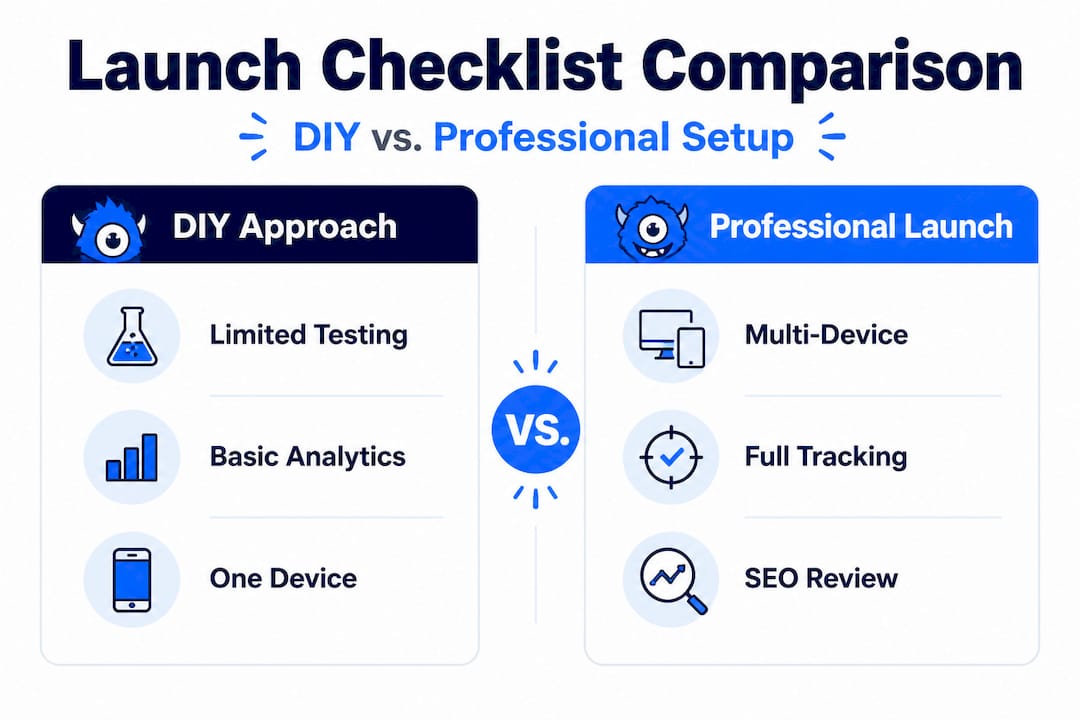
The gap between a DIY launch and a professionally managed one isn’t just about aesthetics. It’s about the technical foundation that drives SEO ranking factors for SMBs and determines whether your site gets found.
After following the checklist, rigorous testing protects your investment and reputation. This phase is where most business owners cut corners, and where most preventable problems originate.
Test every conversion path your site offers. Submit every form. Call every phone number listed. Click every “Get a Quote” or “Book a Consultation” button. Confirm each action triggers the right tracking event in GA4. The SEO Checklist is clear: verify events fire on your live domain. Staging environments can behave differently, so this must happen on the actual published site.
Click-to-call links are especially easy to miss on desktop testing. Use a real mobile device and tap that phone number. Make sure it dials correctly. These small details represent real leads.
Load speed affects both user experience and rankings. Test your site using Google PageSpeed Insights and aim for a score above 80 on mobile. Also test in multiple browsers: Chrome, Safari, Firefox, and Edge at minimum. What looks perfect in Chrome can look broken in Safari, especially on iPhones.
For design tips that support better conversion performance, explore custom website design tips focused specifically on lead generation.
Run a crawl of your site before launch. Look for:
“Inadequate testing is the #1 source of preventable lost leads for new websites.”
Pro Tip: Get at least one non-technical person to walk through your site before launch. Ask them to find your phone number, request a quote, and navigate to your services page. If they struggle, real customers will too.
With your preflight checks complete, a few well-timed actions on launch day boost visibility and eliminate hiccups.
88% of users won’t return after a bad website experience. That means your launch is your one real shot at a first impression. Botch it with broken forms, slow load times, or confusing navigation, and those potential clients won’t give you a second chance.
Pro Tip: Schedule a formal post-launch review for 48 to 72 hours after going live. The go-live rush always produces adrenaline and sometimes produces blind spots. A structured review session catches anything that slipped through.
As your new website goes live, let’s step back and look at why these detailed steps really matter, because we’ve seen the alternative play out too many times.
Most launch disasters don’t come from major technical failures. They come from skipped checklist items. A form that doesn’t send. A phone number that doesn’t dial. A meta title that reads “Home” instead of your actual service. These are small details with large consequences. And the frustrating part? They’re all completely preventable.
Here’s the uncomfortable truth: shortcuts might save you a day or two during launch, but they can cost you months of credibility, missed revenue, and emergency fix expenses. We’ve talked to business owners who launched without testing their contact forms, then wondered why no one was reaching out. Their site was live, their ads were running, and leads were landing on a page where the “Contact Us” button silently failed.
The true costs of missed checklist items are real and measurable:
The website launch process guide reinforces this point with practical detail. A checklist isn’t bureaucracy. It’s insurance. And unlike most insurance, it pays off immediately.
Having a detailed checklist is essential, but sometimes the investment in expertise brings confidence and results that a checklist alone can’t guarantee. When every detail matters and your revenue is on the line, partnering with professionals who have launched hundreds of high-performance sites removes the guesswork entirely.

At MonsterWP, we handle every item on this checklist for you, and then some. From custom WordPress builds using Elementor Pro to full analytics configuration, SEO setup, and ongoing managed support, we exist to make your website a lead-generating machine from day one. Explore our custom WordPress website options or check out our flat fee website design plans starting at $299 per month. No bloated retainers. No surprise invoices. Just a site built to perform. Contact us today for a risk-free consultation before your launch date.
Small businesses often forget to verify conversion tracking, submit the sitemap to Google Search Console, and exclude internal traffic from analytics. Per the SEO Checklist, all of these steps should be completed and verified before launch.
Install GA4, test events like form submissions or calls, and verify data appears on your live domain in the analytics dashboard. The SEO Checklist recommends verifying events fire on your live domain, not just in staging.
Many recommend early-week launches to allow troubleshooting during business hours, but what matters most is that all checklist items are verified before going live, regardless of the day.
Key tools include Google Analytics, Google Tag Manager, and Google Search Console for monitoring traffic and site health. As noted in the SEO Checklist, install GA4 with conversion events and Google Tag Manager from day one.
Optimize for local SEO and continually test your site’s forms and conversion events to maximize lead capture. Consistent content updates and structured citation management also compound your results over time.
Explore the top 3 GoDaddy.com alternatives for reliable hosting solutions. Compare to make an informed decision for your business needs.

Unlock the power of content optimization strategies that drive results. Discover how to enhance rankings, leads, and revenue effectively!