Top revenue-driven website features for small businesses
Transform your small business website with essential revenue-driven website features. Unlock potential leads and boost conversions today!

WordPress powers over 43% of the web, yet most business sites settle for generic templates that look identical to thousands of competitors. These cookie-cutter designs limit your brand’s potential and fail to convert visitors into customers. Custom WordPress design breaks free from these constraints, creating tailored websites that reflect your unique value proposition and drive measurable business growth. This article explains what custom WordPress design truly involves, the technical foundations that make it powerful, and how to choose the right development partner for your business.
| Point | Details |
|---|---|
| Custom design drives conversions | Businesses with custom-designed websites see 20-30% higher conversion rates than those using generic templates. |
| Architecture determines performance | Choosing the right technical foundation (traditional, headless, or hybrid) impacts your site’s speed, security, and scalability. |
| Modern development ensures longevity | Block-first development and ACF integration create maintainable, secure sites that adapt as your business grows. |
| Developer expertise matters | Working with experienced WordPress developers who understand architecture and security prevents costly rebuilds and performance issues. |
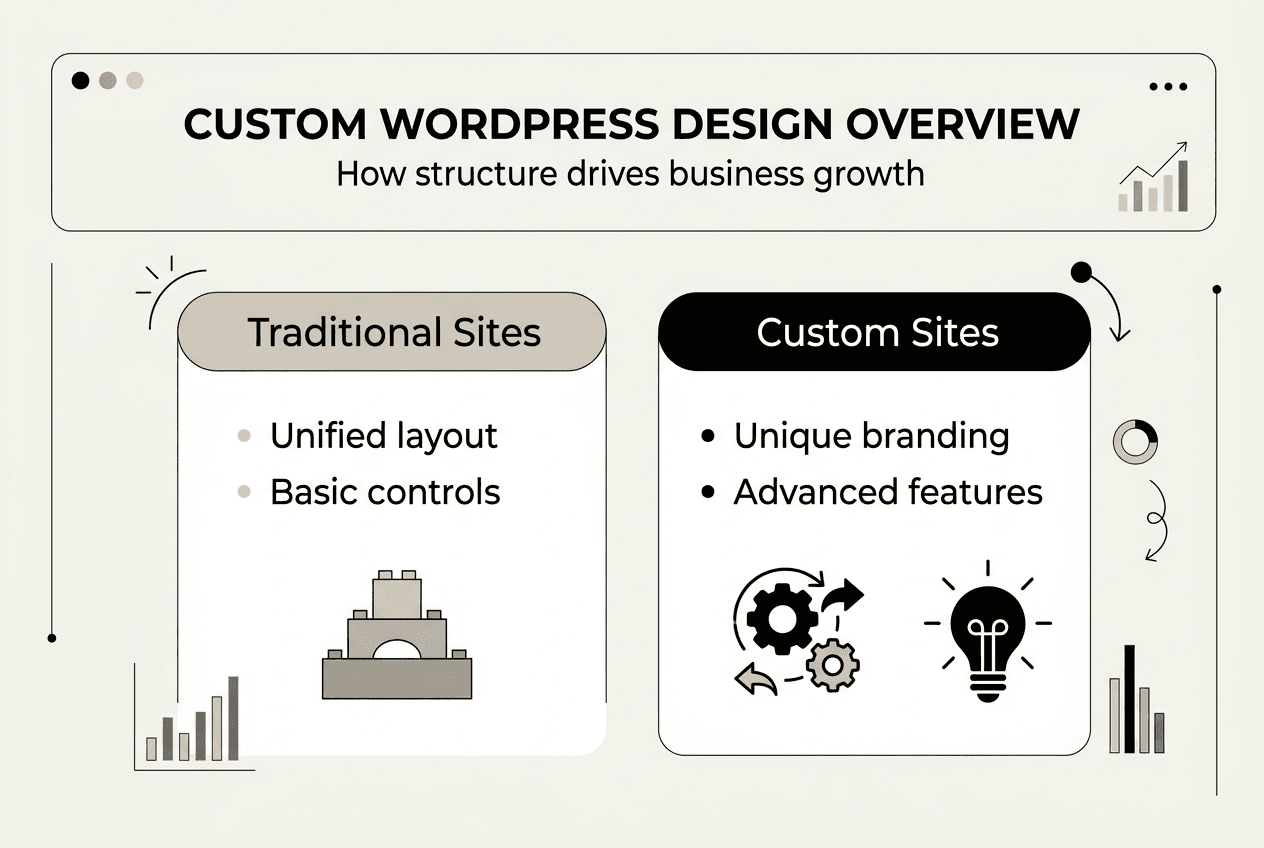
Custom WordPress design means building a website tailored specifically to your brand identity, target audience, and business goals rather than adapting a pre-made template. While many people assume WordPress equals templated sites, custom development transforms the platform into a powerful growth engine that reflects your unique market position. This approach creates websites that stand out visually, perform better technically, and convert visitors more effectively than generic alternatives.
The difference between custom and template-based sites extends beyond aesthetics. Custom design gives you complete control over user experience, page layouts, and functionality without the bloat and limitations of multipurpose themes. Your site becomes a strategic asset rather than a commodity, supporting specific business objectives like lead generation, e-commerce conversion, or content marketing. Custom website design benefits include stronger brand recognition, faster load times, and the flexibility to add features as your business evolves.
Many business owners mistakenly believe templates save money and deliver faster results. While upfront costs appear lower, template sites often require expensive customization to match your needs, third-party plugins that slow performance, and frequent redesigns as your business outgrows their rigid structure. Businesses with custom-designed websites see 20-30% higher conversion rates than those using generic templates, making the investment worthwhile for growth-focused companies.
Key benefits of custom WordPress design include:
Pro Tip: If your business growth depends on your website’s effectiveness at generating leads or sales, settling for a template undermines your marketing investment and competitive advantage.
Architectural decisions shape how your custom WordPress site performs, scales, and handles security challenges. Three main approaches dominate modern WordPress development: traditional monolithic architecture, headless WordPress, and hybrid or decoupled systems. Each offers distinct advantages depending on your business needs, technical requirements, and growth trajectory.
Traditional WordPress architecture combines content management, business logic, and presentation layers in a unified system. This approach works well for content-heavy sites where editors need immediate preview capabilities and straightforward workflows. Headless WordPress separates the backend content management from the frontend presentation, using APIs to deliver content to any platform or device. This architecture excels for omnichannel experiences but adds complexity and development costs. Hybrid or decoupled architecture balances these extremes, maintaining WordPress for content management while allowing frontend flexibility when needed.
Architectural decisions in enterprise WordPress affect performance, security, and scalability more than WordPress itself. Choosing the wrong foundation creates technical debt that becomes expensive to fix later. Hybrid or decoupled architecture works best for about 70% of enterprise sites, offering the right balance between flexibility and maintainability for growing businesses.
| Architecture Type | Security | Scalability | Maintenance | Performance |
|---|---|---|---|---|
| Traditional | Good with proper hardening | Limited by server resources | Straightforward updates | Fast with caching |
| Headless | Excellent (reduced attack surface) | Highly scalable | Complex, requires API expertise | Exceptional with CDN |
| Hybrid/Decoupled | Excellent | Very scalable | Moderate complexity | Optimized for most use cases |
Beyond simply choosing headless or traditional, strong architectural discipline matters enormously. Developers must implement proper separation of concerns, maintain coding standards, and build with future extensibility in mind. Poor architecture creates sites that break easily, perform slowly, and cost significantly more to maintain over time. Custom WordPress website services should include architectural planning as a foundational step, not an afterthought.
Pro Tip: Discuss architecture choices with your development team before design work begins, ensuring your site’s foundation supports your three-year business roadmap, not just immediate needs.
Advanced WordPress development practices separate professional custom sites from amateur implementations. Modern techniques focus on creating clean, maintainable codebases that remain secure and performant as WordPress evolves. These practices ensure your investment delivers long-term value rather than requiring costly rebuilds every few years.
Advanced Custom Fields (ACF) has become essential for professional WordPress development. Custom WordPress themes using ACF create clean, maintainable codebases by separating content structure from presentation logic. This approach avoids the bloat of drag-and-drop page builders while giving content editors intuitive interfaces for managing site content. ACF enables developers to create custom post types, flexible content layouts, and reusable components without writing complex database queries or custom admin interfaces.
Block-first development aligns with WordPress 6.9 and the ongoing Gutenberg editor enhancements. Building custom blocks instead of relying on shortcodes or proprietary page builder elements future-proofs your site and improves editor experience. This approach leverages WordPress core functionality rather than fighting against it, reducing plugin dependencies and maintenance overhead.
WordPress hooks (Actions and Filters) provide the extensibility that makes custom functionality possible without modifying core files. Mastering hooks allows developers to modify behavior, add features, and integrate third-party services cleanly. This technique ensures your customizations survive WordPress updates and remain compatible with quality plugins.
Key modern development techniques include:
Security hardening must be integrated from the start, including input sanitization, nonce verification, and capability checks. Waiting to address security creates vulnerabilities that attackers exploit. Professional developers implement these practices throughout development:
These techniques contribute directly to long-term site performance and maintenance efficiency. Sites built with modern practices require fewer emergency fixes, handle traffic spikes gracefully, and adapt easily when business requirements change. Web design best practices extend beyond visual design to include these foundational development standards.
Selecting a qualified WordPress development partner determines whether your custom site becomes a growth asset or an expensive liability. Many developers claim WordPress expertise but lack the deep architectural knowledge and coding discipline required for enterprise-quality custom sites. Understanding what separates skilled professionals from template installers protects your investment and ensures successful outcomes.
Choosing developers unfamiliar with WordPress architecture leads to slow, poorly coded sites that break easily and cost significantly more to maintain. Common pitfalls include developers who rely exclusively on page builders, ignore WordPress coding standards, or lack security expertise. These shortcuts create technical debt that compounds over time, eventually requiring complete rebuilds.
Key developer skills to verify include understanding of WordPress architecture options, adherence to coding standards, mastery of hooks and filters, and integration of security best practices from project inception. Experienced developers discuss architectural tradeoffs, explain their approach to performance optimization, and provide examples of custom solutions they’ve built for similar business challenges.
Questions to ask potential development partners:
Red flags and best traits in WordPress design partners:
The right development partner becomes a strategic advisor who understands how your website supports broader business objectives. They recommend solutions based on your specific context rather than applying one-size-fits-all approaches. This partnership supports sustainable growth rather than creating dependency on expensive ongoing customization. MonsterWP’s development process exemplifies this strategic approach, combining technical excellence with clear business focus.
MonsterWP delivers fully managed custom WordPress websites built specifically for business growth. We design, launch, and maintain high-performance sites starting at $299 per month, combining custom development with ongoing optimization and support. Every site uses modern architecture, clean code, and security best practices to ensure your digital presence drives measurable results.

Our custom WordPress website services include strategic planning, custom design, performance optimization, and unlimited content updates. We handle the technical complexity while you focus on running your business. Our transparent development process ensures you understand exactly what you’re getting and how it supports your growth objectives. Explore our complete WordPress service offerings to find the right solution for your business stage and goals.
Pro Tip: Start with a consultation to identify your exact needs and ensure the proposed solution aligns with your three-year business roadmap, not just immediate website requirements.
Custom WordPress themes are built specifically for your brand, audience, and business objectives, with every element designed to support your unique value proposition. Templates are pre-made designs used by thousands of websites, offering limited customization and generic functionality. Custom themes provide complete control over user experience, performance, and features, while templates force you to adapt your business to their rigid structure.
Typical custom WordPress projects take 6 to 12 weeks depending on complexity, feature requirements, and content preparation. Simple business sites with standard functionality launch faster, while e-commerce platforms or sites with custom integrations require additional development time. The timeline includes discovery, design, development, testing, and content migration phases. Working with experienced developers who follow proven processes keeps projects on schedule without sacrificing quality.
Custom WordPress sites built with modern techniques like ACF and block editors make content updates intuitive and user-friendly. You can easily modify text, images, and standard content without technical knowledge. More complex changes like adding new page types or modifying functionality typically require developer assistance. Quality development partners provide training and documentation so you can handle routine updates confidently while knowing expert support is available for advanced modifications.
Custom WordPress design requires higher upfront investment than purchasing templates, but delivers significantly greater long-term value through better engagement, higher conversion rates, and reduced maintenance costs. Templates often require expensive customization, premium plugins, and frequent redesigns as your business outgrows their limitations. Custom sites built properly scale with your business, avoid technical debt, and generate better returns through improved user experience and performance. The 20 to 30% conversion rate improvement typically justifies the investment within months for growth-focused businesses.
Transform your small business website with essential revenue-driven website features. Unlock potential leads and boost conversions today!
Discover what digital visibility means for business growth in 2026. Learn effective strategies to boost your brand’s presence and generate qualified leads.